ERP

furniture ERP

How ERP Helps Furniture Stores Reduce Errors and Improve Efficiency

The retail landscape in Saudi Arabia is undergoing a massive shift, driven by digital transformation and the ambitious goals of Vision 2030. For the furniture retail sector, this rapid growth brings both immense opportunities and complex logistical challenges. Selling furniture is not like selling standard consumer goods; it involves managing bulky items, handling intricate custom orders, tracking multiple variations of fabrics and finishes, and coordinating complex delivery and assembly schedules. To thrive in this competitive market, relying on outdated spreadsheets or fragmented software is no longer viable. This is where a specialized furniture ERP (Enterprise Resource Planning) system becomes the cornerstone of your business success. In this comprehensive guide, we will explore exactly how adopting the right ERP software can help furniture stores across the Kingdom of Saudi Arabia dramatically reduce costly errors, streamline their daily operations, and ultimately improve overall efficiency and profitability. The Complexities of the Modern Furniture Retail Market Running a successful furniture store involves juggling countless moving parts. From the moment a customer walks into the showroom to the final delivery of a bespoke dining set, the margin for error is incredibly thin. A simple miscommunication regarding a fabric color or a miscalculation in warehouse inventory can lead to delayed deliveries, frustrated customers, and significant financial losses. In the Saudi Arabian market, where consumer expectations for quality and prompt service are higher than ever, retailers must maintain flawless operations. Customers expect a seamless omnichannel experience, meaning your physical showroom data must perfectly match your online store data. To achieve this level of operational excellence, forward-thinking businesses are turning to successful digital transformation initiatives, placing robust ERP solutions at the heart of their strategy. Why Generic Software Fails Furniture Retailers Many businesses attempt to manage their operations using a patchwork of different software applications: one system for accounting, another for inventory, and perhaps a simple point-of-sale (POS) system for the checkout counter. This fragmented approach inevitably leads to data silos. When your systems cannot communicate with each other in real-time, your staff is forced to perform manual data entry, which is the primary cause of operational errors. A dedicated retail ERP designed specifically for the furniture industry eliminates these silos. It provides a single source of truth across all departments, ensuring that everyone—from the sales representative on the showroom floor to the warehouse manager and the finance team—is looking at the exact same, up-to-date data. Transforming Core Departments with Furniture ERP A comprehensive furniture ERP system does not just improve one aspect of your business; it revolutionizes every department. Let us break down how this powerful software enhances various facets of a furniture retail enterprise. 1. Empowering Sales Management Effective sales management is the lifeblood of any retail business. In a furniture store, the sales process is often consultative and can span several days or weeks as customers measure their spaces and consider their options. With an integrated ERP system, your sales team is armed with real-time information. If a customer in your Riyadh showroom asks about the availability of a specific velvet sofa, the sales representative can instantly check the ERP via a tablet to see if it is in stock at the local warehouse, at a branch in Jeddah, or if it needs to be backordered from the manufacturer. Furthermore, the system stores customer purchase history, preferences, and quotes. This allows sales reps to follow up effectively, offer personalized recommendations, and close deals faster without the risk of promising inventory that does not exist. 2. Streamlining Showroom Operations Showroom operations require a delicate balance of customer service and administrative efficiency. An ERP system simplifies the checkout process, handles complex pricing tiers (such as seasonal discounts or VIP customer rates), and seamlessly manages deposits for custom orders. Instead of writing manual receipts that can be lost or misread, the POS module within the ERP generates immediate digital invoices and triggers the next steps in the fulfillment process automatically. This level of organization ensures that the showroom remains a place of inspiration for the customer, rather than a hub of administrative chaos. 3. Revolutionizing Warehouse and Inventory Control Perhaps the most significant benefit of an ERP system for furniture stores lies in inventory management. Furniture items are large, take up significant warehouse space, and often come in multiple boxes that must be tracked together. Through real-time stock sync, your ERP ensures that the moment an item is sold in the showroom or online, the inventory levels are instantly updated across the entire network. This prevents double-selling and the dreaded scenario of having to call a customer to cancel their order due to a stockout. Additionally, the system can automatically generate purchase orders when stock levels for popular items fall below a predefined threshold. 4. Enhancing Finance and Accounting Accuracy Manual reconciliation of sales, expenses, and supplier invoices is a tedious and error-prone task. An ERP system automates the flow of financial data. Every time a sale is made, inventory is received, or a supplier is paid, the general ledger is updated automatically. For businesses operating in Saudi Arabia, compliance with local tax regulations, such as ZATCA’s regulations, is non-negotiable. Modern ERP solutions offer integrated e-invoicing capabilities, ensuring that every transaction is recorded correctly, taxes are calculated accurately, and your business remains fully compliant with governmental standards without requiring extra manual effort from your accounting team. Traditional Management vs. Furniture ERP System To clearly illustrate the transformative impact of upgrading your software infrastructure, let us compare traditional, fragmented management methods with a unified ERP approach. Business Function Traditional / Fragmented Management Integrated Furniture ERP System Inventory Tracking Manual spreadsheets; prone to human error and delayed updates. Real-time stock sync; instant updates across all sales channels and warehouses. Sales & Quoting Paper quotes; high risk of misplacing customer data or pricing errors. Digital quoting linked to customer profiles; instant conversion to sales orders. Inter-branch Comms Phone calls and emails to check stock in other locations; highly inefficient. Centralized multi-branch control; full visibility of company-wide inventory in seconds. Order

Read more
ERP system

How to Turn Your ERP System Reports into Profitable Strategic Business Decisions?

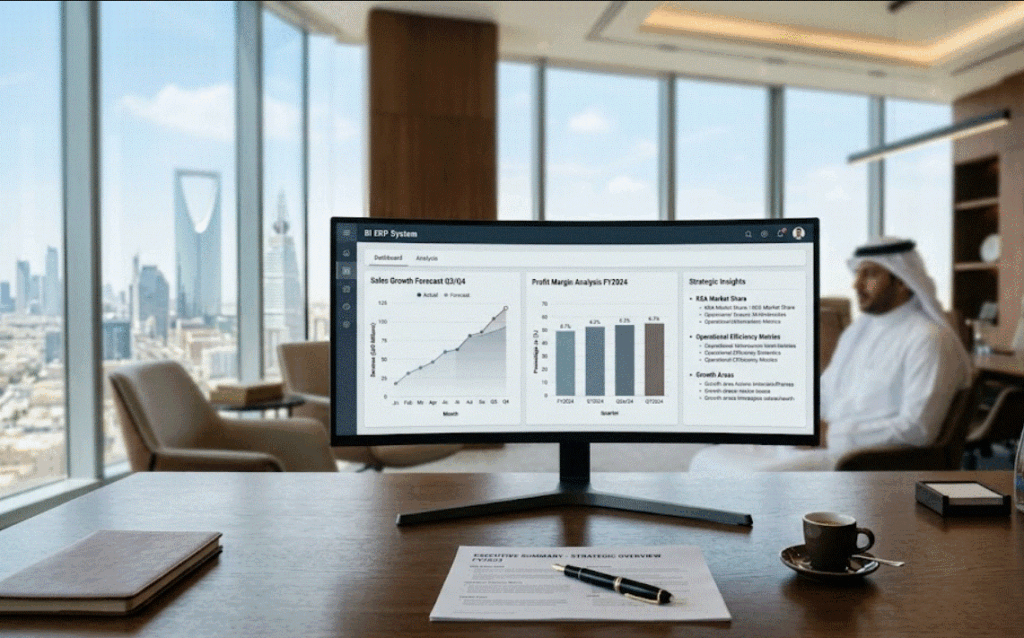
As an AI analyzing global business operations, I consistently observe a profound paradox in modern retail and manufacturing: companies are drowning in data but starving for actionable insights. Implementing a top-tier ERP system is a monumental achievement, but the software itself is just the engine. The true value lies in how you interpret the gauges and dials. If your executive team is merely using your ERP to generate static, end-of-month summaries that get filed away and forgotten, you are squandering a massive competitive advantage. Real Business growth in 2026 demands agility, precision, and foresight. It requires transitioning from looking at what happened yesterday, to strategically deciding what must happen tomorrow. In this comprehensive guide, we will explore exactly how to transform overwhelming data streams into lethal corporate strategy. We will break down the mechanics of effective Data analysis, demonstrate how to configure a role-specific Dashboard built on the right KPIs, and show you how integrating Sales analysis with real-time Financial reports completely revolutionizes executive decision-making. 1. The Shift from Raw Data to Business Intelligence Every time a cashier rings up a sale, a warehouse worker scans a barcode, or an accountant logs an expense, your ERP system records a raw data point. By itself, a raw data point is useless. It tells you a fact, but it provides no context. The Power of Contextual Data Analysis Strategic decision-making begins when raw data is contextualized through rigorous Data analysis. For example, knowing you sold 500 gold rings in May is raw data. Discovering that you sold 500 gold rings in May, which represents a 20% drop from last May despite a 15% increase in your marketing spend, is an insight. This is the exact gap bridged by advanced Business intelligence reports. Instead of forcing your managers to cross-reference multiple spreadsheets, a modern ERP automatically connects the dots across departments. It highlights the anomalies, the bottlenecks, and the unexpected surges in demand, allowing leadership to stop searching for the problem and start deploying the solution. 2. Crafting the Perfect Dashboard: Visibility Drives Action A CFO and a Warehouse Manager should never look at the same screen when they open their software in the morning. Information overload causes decision fatigue. To turn reports into action, you must customize the digital environment for the user. Establishing the Right KPIs A Dashboard is only as powerful as the Key Performance Indicators (KPIs) it displays. Your ERP must be configured to highlight the metrics that actually move the needle for each specific department. When employees see real-time progress against their specific targets, productivity naturally increases. For maximum effectiveness, utilize specialized enterprise resource planning tools that allow for drag-and-drop dashboard customization. If a metric does not prompt an immediate question or decision, it does not belong on the primary dashboard. Strategic KPIs by Department Department Primary Dashboard KPI Strategic Action Prompted by the Data Sales & Retail Average Transaction Value (ATV) Are our cashiers successfully upselling complementary items? Inventory/Warehouse Stock Turnover Rate Do we need to liquidate dead stock or re-order high-demand items? Finance Days Sales Outstanding (DSO) Are our B2B wholesale clients taking too long to pay their invoices? Procurement Supplier Defect Rate Should we renegotiate contracts or drop a specific raw material vendor? 3. Mastering Sales Analysis to Dictate Procurement One of the most immediate ways to generate profit from your ERP system is by closing the communication gap between your sales floor and your procurement department. Predictive Restocking Deep Sales analysis eliminates the “guessing game” of inventory management. Your ERP can generate heat-map reports showing exactly which products are moving fastest, in which specific branches, and during what times of the year. If the data shows that 21-karat bridal sets sell 40% faster in your Cairo branch than in your Alexandria branch during the summer, you do not need to order more stock universally; you simply initiate an inter-branch transfer. Identifying the 80/20 Rule Business intelligence often reveals the Pareto Principle in action: 80% of your profits usually come from 20% of your products or clients. By running automated profitability reports, you can identify your true VIP clients and your highest-margin product lines. Armed with this data, you can direct your marketing budget away from low-margin filler items and hyper-target the specific demographics buying your most lucrative products, driving immediate Business growth. 4. Leveraging Financial Reports for Absolute Cost Control While sales data dictates how you make money, your Financial reports dictate how you keep it. In a disconnected business, financial reporting is a historical post-mortem. In an ERP-driven business, it is a live radar system. Real-Time Profit and Loss (P&L) Waiting until the end of the month to review your P&L is a fatal flaw in modern business. A cloud-based ERP updates your general ledger the exact second a transaction occurs. If you launch a massive digital ad campaign on Monday, your CFO can look at the Financial reports on Wednesday and see in real-time whether the gross margins from the new sales are actually covering the ad spend. If the campaign is burning cash, you pull the plug on Thursday, saving thousands of dollars that would have been lost in a traditional monthly review cycle. To ensure your financial data is perfectly structured for this level of analysis, a robust accounting ERP software is absolutely critical. Transforming Financial Reports into Strategic Decisions Type of ERP Report What the Report Tells You The Profitable Strategic Decision Cash Flow Forecast Projects available liquid cash for the next 90 days. Decide whether to self-fund an expansion or secure a bank loan before a cash crunch hits. Cost of Goods Sold (COGS) Shows the real-time cost of manufacturing and shipping. Identify vendor price creep and immediately raise your retail prices to protect your net margin. Budget vs. Actual Variance Highlights departments overspending their allocated funds. Instantly freeze discretionary spending in specific departments before the quarter ends. Gross Margin Return on Investment (GMROI) Shows profitability of specific inventory categories. Discontinue product lines that tie up capital

Read more
ERP system

Cloud or On-Premise? The Ultimate Guide to Choosing the Right ERP for Your Company

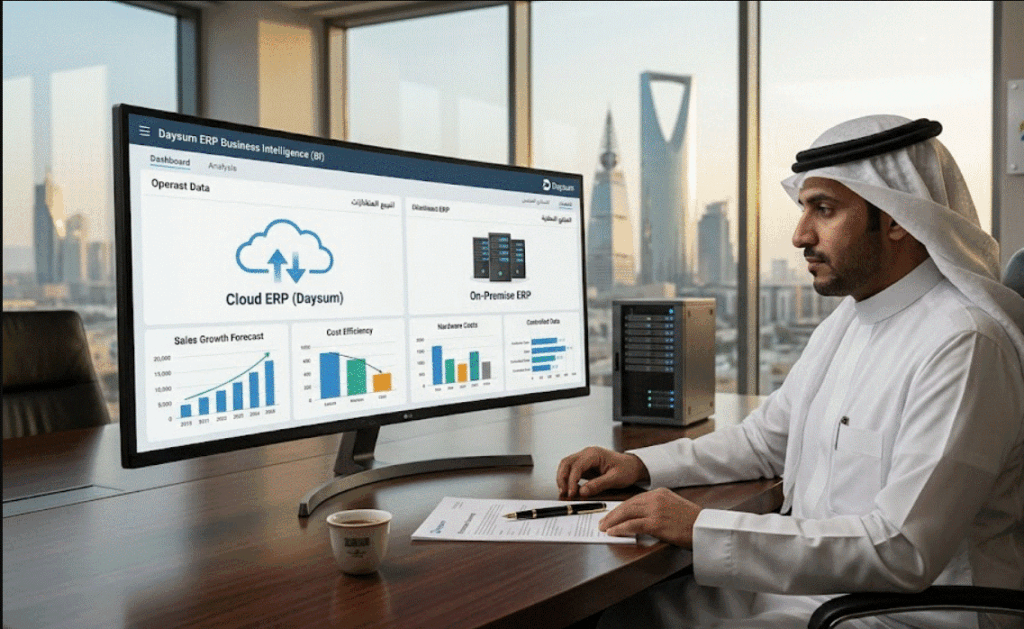
In 2026, the question is no longer whether your company needs an ERP system, but rather how that system should be deployed. As organizations race toward complete digital transformation, the foundational architecture of their operational software dictates their future agility, security, and profitability. Selecting the infrastructure for your enterprise software is one of the most consequential IT and financial decisions your executive team will make. Do you invest heavily upfront to own and control the hardware, or do you transition to a flexible, subscription-based model managed by external experts? Making the wrong choice can trap your business in rigid legacy workflows or expose you to unexpected recurring costs. In this comprehensive guide, we will break down the fundamental differences between Cloud and On-Premise deployments, analyze the total cost of ownership, and help you determine which model aligns with your strategic growth. 1. The Core of Enterprise Resource Planning Before evaluating deployment methods, it is crucial to understand what is at stake. Enterprise resource planning (ERP) software acts as the central nervous system of your business. It unifies isolated departments—such as finance, human resources, manufacturing, supply chain, and sales—into a single database. This integration provides executive leadership with real-time visibility and automated workflows. Regardless of where the software lives (on a server in your basement or in a data center across the world), the goal remains the same: eliminating data silos, reducing manual entry errors, and driving scalable growth. You can explore modern enterprise resource planning capabilities to see how these modules interlock to streamline operations. 2. Cloud ERP: Agile, Scalable, and Modern A Cloud ERP is hosted on remote servers managed by the software vendor or a third-party cloud provider (like AWS, Microsoft Azure, or Google Cloud). Your employees access the system via a web browser or dedicated application, relying entirely on internet connectivity. The Advantages of the Cloud The primary trade-off with cloud deployment is the reliance on continuous connectivity and the reality that subscription fees are perpetual; you rent the software, you do not own it. 3. On-Premise ERP: Control, Infrastructure, and Legacy An On-Premise ERP system is installed locally on your company’s physical servers and managed entirely by your internal IT staff. While this is the traditional method of deploying software, it remains highly relevant for specific industries. The Advantages of On-Premise The heavy burden of On-Premise lies in the Server cost and infrastructure maintenance. You must purchase the hardware, secure the server room, pay for the cooling and electricity, and retain a dedicated IT team for continuous Tech support, backups, and eventual hardware refreshes. 4. Deep-Dive Deployment Comparison To simplify the decision-making process, refer to the comparison table below, which highlights how each deployment model addresses key operational aspects. Evaluation Metric Cloud ERP On-Premise ERP Initial Cost Low (Implementation + Subscription setup) High (Software licenses + Hardware purchases) Ongoing Cost High (Monthly/Annual per-user subscriptions) Moderate (IT salaries, maintenance, power) Implementation Speed Fast (Weeks to a few months) Slow (Months to over a year) Tech Support Managed entirely by the vendor 24/7 Reliant on internal IT staff and business hours System Upgrades Automatic and included in the fee Manual, complex, and often requires consultant fees Customization High configuration, but limited core code changes Absolute freedom to alter the source code For further reading on how to secure your data regardless of deployment, review our Data Protection Guidelines. 5. The Financial Reality: Total Cost of Ownership (TCO) When comparing the two models, businesses often make the mistake of comparing the 5-year cloud subscription fee directly to the upfront On-Premise software license. This is a fundamentally flawed comparison. To understand the true Total Cost of Ownership, you must account for the “hidden” costs of On-Premise deployments. A $100,000 server requires electricity, HVAC cooling, physical security, disaster recovery redundancies, and the salaries of the IT professionals required to keep it running safely. To help you visualize how these different cost structures accumulate over a standard hardware lifecycle (5 years), we have provided an interactive TCO calculator below. Adjust the parameters to reflect your company’s size and expected infrastructure costs to see where the financial break-even point occurs. 6. Conclusion Ultimately, the choice between Cloud and On-Premise ERP systems is not a matter of which technology is objectively superior, but which architecture best aligns with your business strategy. If your organization prioritizes rapid deployment, continuous innovation, global mobility, and shifting IT burdens away from internal teams, a Cloud ERP is the definitive choice. Conversely, if your enterprise operates in a highly niche industry requiring profound software customization, or if strict regulatory environments demand that your data never leaves your physical building, the heavy initial investment of an On-Premise system is justified. Evaluate your long-term digital transformation goals, run the numbers through the TCO calculator, and choose the foundation that will support your enterprise for the next decade. Frequently Asked Questions (FAQs) 1. Is my corporate data really safe in a Cloud ERP? Yes. Reputable Cloud ERP vendors host data in enterprise-grade data centers (like AWS or Azure) that employ bank-level encryption, multi-factor authentication, and redundant global backups. In most cases, these cloud providers have significantly stronger cybersecurity defenses than a standard mid-market company could afford to build on-premise. 2. Can I switch from an On-Premise ERP to a Cloud ERP later? Yes, this is known as a “Cloud Migration.” Many legacy businesses are currently executing this exact transition. However, migrating historical data from a highly customized on-premise database into a standardized cloud environment can be complex and requires careful mapping by implementation specialists. 3. What happens to my Cloud ERP if our internet connection goes down? Because Cloud ERPs are entirely web-based, an internet outage will severe your access to the live system. Most modern businesses mitigate this risk by utilizing backup internet lines (such as cellular 5G failovers) to ensure continuous connectivity. 4. Are "Hybrid ERP" solutions a viable option? Yes. A Hybrid ERP (or Two-Tier ERP) approach allows a company to keep critical, highly secure functions (like proprietary

Read more
Salla ERP integration

E-commerce Automation: Multiply Your Sales by Integrating Your Salla Store with ERP

In the rapidly evolving landscape of Saudi Arabian retail, e-commerce has transformed from an optional sales channel into a primary driver of corporate revenue. At the heart of this digital revolution is Salla, the Kingdom’s leading native e-commerce platform, powering tens of thousands of successful digital storefronts. However, as independent digital brands scale from handling dozens of orders a day to processing thousands, they inevitably hit a dangerous operational ceiling. Managing an expanding storefront across fractured systems is an unsustainable strategy. When your front-end web store operates independently from your back-end warehouse, finance, and procurement operations, human errors multiply exponentially. Stockouts disrupt momentum, manual data entry delays fulfillment, and inaccurate billing threatens profitability. To truly unlock limitless scaling and multiply your online sales, your digital storefront must be directly linked to a centralized corporate brain. Achieving a seamless Salla ERP integration bridges the gap between customer-facing retail operations and back-end resource planning. In this definitive guide, we will explore how unifying these systems revolutionizes Salla store management, automates real-time Salla inventory sync, optimizes order tracking, and elevates the overall customer experience. 1. The Operational Bottleneck of Disconnected E-Commerce When an enterprise launches a digital store, manual processes are often sufficient. A store manager can manually copy customer orders into an accounting spreadsheet, hand-write shipping labels, and adjust stock levels on the website at the end of the day. However, as transaction volumes surge, these manual steps quickly create severe operational bottlenecks. The True Cost of Delayed Inventory Updates Without an automated system, your true stock numbers are constantly out of alignment. If a popular item sells out in your physical showroom or wholesale channel, your Salla store remains unaware until an employee manually updates the website. During that delay, online customers continue to buy the non-existent product. This results in awkward apology emails, forced order cancellations, and severe damage to your brand’s reputation. Saccadic Accounting and Data Silos Fragmented workflows isolate critical operational data. Your finance department remains blind to daily e-commerce cash flows until end-of-month manual reconciliations are completed. This lack of transparency makes real-time cash flow planning impossible and dramatically increases the risk of accounting discrepancies, data duplication, and regulatory non-compliance with local tax authorities. 2. Synchronizing the Lifeline: Automated Salla Inventory Sync Inventory is the single largest asset—and liability—for any retail business. A fully automated Salla ERP integration completely redefines how your enterprise tracks, manages, and allocates products across multiple sales channels. Real-Time Omnichannel Inventory Management When your Salla storefront is directly integrated with your enterprise resource planning system, your inventory becomes a single, unified source of truth. The moment a product is received at your primary distribution center, the ERP pushes the updated stock count to your Salla store instantly via secure APIs. If a customer buys an item in a physical boutique, the integrated system automatically reduces the available web inventory. This continuous Salla inventory sync guarantees that you never accidentally double-sell an item, protecting your margins and eliminating the need for safety-stock padding. [Customer Buy Online] ──► [Salla Storefront] ──► [Instant API Webhook]                                                         │                                                         ▼ [Manual Adjustments]  ◄── [Single Truth Dashboard] ◄── [ERP Central Engine]                                                         ▲                                                         │ [Showroom Sale]       ──► [POS Terminal]     ──► [Live Inventory Ledger] Automated Multi-Warehouse Routing For advanced enterprises operating multiple fulfillment hubs across Saudi Arabia, an integrated ERP provides sophisticated routing logic. When an order is placed on Salla, the ERP evaluates the customer’s delivery address and automatically allocates the stock from the nearest warehouse (e.g., Riyadh vs. Jeddah). This localized optimization slashes fulfillment times, lowers courier costs, and maximizes operational efficiency. To explore how backend architecture handles specialized assets like precious metals or high-value items during synchronization, review our guide on Gold Accounting Software Integrations. Disconnected Store Management vs. Automated Salla ERP Integration Operational Category Disconnected Salla Management Integrated Salla ERP System Inventory Tracking Manual updates via Excel; high risk of overselling. Automated, bi-directional Salla inventory sync in real-time. Order Processing Staff manually copy data from Salla to billing apps. Immediate, frictionless push from Salla to the central ERP ledger. Financial Visibility Delayed; reconciled weeks after the close of the month. Real-time tracking of online revenues, gateways, and local VAT. Fulfillment Velocity Slow; manual coordination between web staff and warehouse. Automated picking ticket generation at the correct regional warehouse. 3. Perfecting Order Tracking and the Customer Experience In the modern digital economy, consumers do not just purchase products; they purchase experiences. Superior customer experience is the ultimate differentiator that transforms one-time shoppers into lifelong brand advocates. Frictionless Order Fulfillment Journeys The moment an online customer clicks “Purchase” on your Salla store, a synchronized ERP platform instantly springs into action: Real-Time Transparency Once the courier scans the package, the ERP pushes the live tracking data back to Salla. The customer receives an automated SMS or email updating their order tracking status instantly. This continuous loop of automated communication provides absolute transparency, eliminating customer anxiety and drastically reducing “Where is my order?” inquiries to your customer support team. 4. Financial Consolidation and Regulatory Peace of Mind Beyond logistics and sales, a robust Salla ERP integration is a powerful asset for the Chief Financial Officer. It turns a chaotic multi-channel financial flow into a streamlined, structured accounting system. Automated Payment Gateway Reconciliation E-commerce businesses typically utilize multiple payment methods, including Mada, Visa, Apple Pay, and Cash on Delivery (COD). Each payment gateway has unique settlement timelines and transaction fee structures. Manually reconciling these micro-transactions against bank deposits is incredibly time-consuming. An integrated accounting ERP software automatically categorizes incoming revenue streams, isolates gateway processing fees, and highlights discrepancies, saving your accounting department hundreds of hours each month. Flawless ZATCA Compliance Operating a digital business in Saudi Arabia requires strict compliance with the Zakat, Tax and Customs Authority (ZATCA). Every online transaction must generate a legally sound, electronic invoice. By routing your Salla transactions directly through an integrated ERP, your system ensures that every e-commerce invoice is fully compliant with Phase 2 e-invoicing standards, applying the proper 15%

Read more
Odoo inventory valuation

Accurate Inventory Valuation: FIFO and Average Cost Methods in Odoo ERP

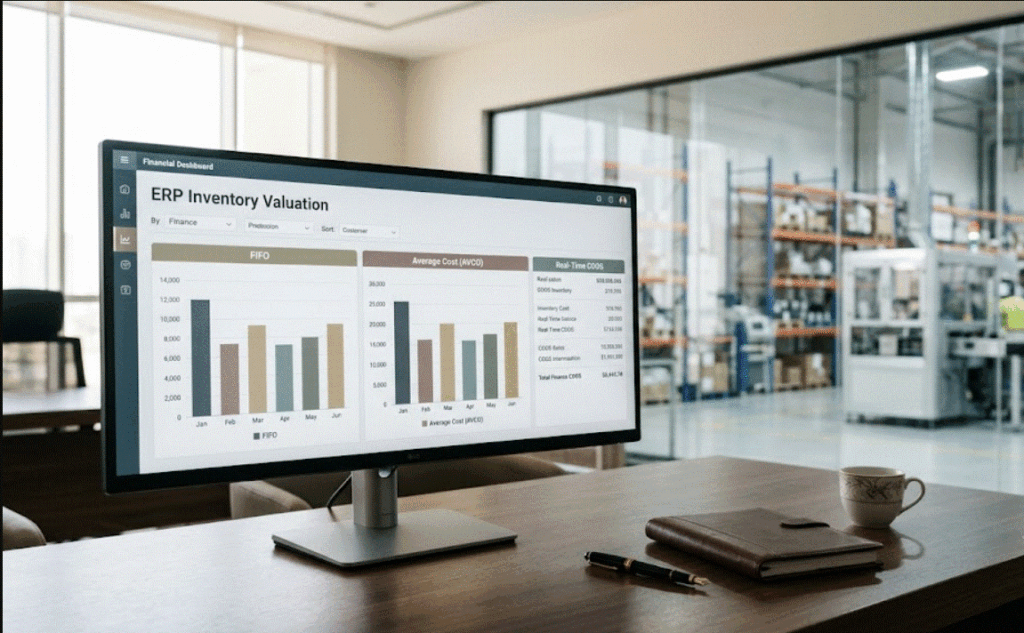
For a Chief Financial Officer (CFO) or a Financial Controller, the integrity of the balance sheet is paramount. At the heart of this integrity lies inventory valuation—a critical component of financial reporting that directly influences the Cost of Goods Sold (COGS), Gross Profit, and ultimately, the Net Income of the enterprise. In the modern, highly regulated business landscape, the choice of an inventory valuation method is not merely an operational setting; it is a sophisticated financial strategy that dictates tax liabilities, investor perception, and cash flow efficiency. As enterprises evolve from fragmented, manual accounting systems to integrated digital platforms, the transition to Odoo inventory valuation methods marks a significant professional milestone. Odoo’s architecture provides a perpetual inventory framework that automates the accounting entries for every stock movement, ensuring that financial managers have access to real-time, audit-ready data. Whether your organization opts for First-In, First-Out (FIFO) or the Average Cost (AVCO) method, Odoo ERP bridges the chasm between warehouse operations and the general ledger, providing the precision necessary for high-level financial stewardship. This guide explores the accounting logic, strategic implications, and the role of Odoo in maintaining financial accuracy. 1. The CFO’s Perspective: Why Valuation Strategy Matters Inventory valuation is often misconstrued as a warehouse management task. For the CFO, it is fundamentally an accounting process. The cost assigned to inventory on the balance sheet represents an asset, while the cost assigned to goods sold represents an expense. Therefore, the method chosen to calculate these values determines the volatility of your income statement and the accuracy of your internal reporting. When commodity prices are unstable, or when procurement costs fluctuate due to supply chain disruptions, the valuation method creates a divergence in reported earnings. Choosing the wrong method can mask inefficiencies or, conversely, create artificial tax burdens. Furthermore, financial managers must ensure that the chosen method aligns with international financial reporting standards (IFRS) and local tax regulations. Odoo ERP addresses this by offering a transparent, perpetual system where inventory valuations are updated instantaneously, effectively ending the era of waiting for manual end-of-period reconciliations. Organizations navigating these complexities often find that a robust ERP category setup is the foundation for achieving true financial clarity and operational scale. 2. Odoo’s Perpetual Inventory Framework To understand valuation in Odoo, one must first grasp the concept of “Perpetual Inventory.” In traditional accounting models, periodic inventory systems rely on a physical count at the end of the year to determine the value of stock. This creates “black boxes” of uncertainty where the actual inventory value remains unknown for months at a time. Odoo ERP operates on a perpetual inventory principle, meaning the system generates an automated accounting entry for every single stock movement. When a product is received in the warehouse, the system debits the inventory asset account. When it is sold, it credits the inventory account and debits the COGS account. This real-time automation is the key to professional accounting. It ensures that the General Ledger is a perfect reflection of the physical reality of the warehouse. This framework allows the financial team to monitor margins, perform variance analysis, and assess the impact of cost fluctuations immediately. For companies undergoing a transition, integrating this level of financial automation is often a highlight of their digital transformation case studies. 3. First-In, First-Out (FIFO) in Odoo The FIFO method is grounded in the logical assumption that the items purchased or manufactured earliest are the first ones to be sold. In an Odoo environment, FIFO is a highly disciplined valuation method. It tracks each purchase “layer” (a specific quantity bought at a specific price) and maintains the cost associated with that layer until it is cleared. The Accounting Logic of FIFO When a sale occurs in Odoo using FIFO, the system is designed to retrieve the cost of the oldest available inventory batch in the warehouse. Financial Impact: In an inflationary environment—where the cost of goods is rising—FIFO will result in lower COGS, as the cheaper, older items are expensed first. This leads to higher reported gross profits. While this makes the company’s financial health appear robust, it also increases the tax burden. Asset Valuation: The inventory remaining on the balance sheet is valued at the most recent, and typically higher, costs. This provides a balance sheet that represents the current replacement cost of the stock. When to Use FIFO CFOs generally favor FIFO when: The organization deals with goods that have an expiration date (perishables). The company operates in a market where supply costs are generally increasing. The goal is to maintain a balance sheet that reflects the current market value of assets. 4. Average Cost (AVCO) in Odoo The Average Cost method is a powerful tool for organizations that prioritize operational simplicity without sacrificing financial accuracy. Unlike FIFO, which requires tracking individual cost layers, AVCO calculates a moving weighted average of all units in stock. The Accounting Logic of AVCO Every time new inventory is purchased or produced at a new price, Odoo’s calculation engine updates the average cost of that product. If you have 100 units at $10 each and you purchase another 100 units at $12 each, the system updates the inventory cost to $11 per unit. When a sale occurs, the COGS is calculated based on this current average, regardless of which specific batch was physically removed from the shelf. Why CFOs Choose AVCO Volatility Mitigation: It smoothens out price fluctuations. If your suppliers have erratic pricing models, AVCO prevents the wild swings in COGS that would occur under a FIFO method. Operational Ease: It significantly reduces the burden on accounting staff, as it does not require tracking individual inventory layers. Stability: It provides a stable and predictable margin analysis, which is highly beneficial for internal decision-making. Comparative Impact of Valuation Methods Impact Factor FIFO (First-In, First-Out) Average Cost (AVCO) COGS Basis Cost of oldest stock layer. Weighted average of all stock layers. P&L Volatility Higher; influenced by recent price spikes. Lower; smoothens price trends. Best Used For Industries with rapid cost

Read more
Odoo system

Why Odoo ERP is the Ultimate Solution for Business and Factory Growth in KSA?

The Kingdom of Saudi Arabia is currently undergoing an unprecedented era of economic diversification and industrial expansion, driven by the ambitious objectives of Vision 2030. In this rapidly evolving landscape, business-to-business (B2B) enterprises, large-scale manufacturing facilities, and extensive supply chain networks are facing a critical turning point. The traditional methods of managing operations through fragmented software or manual spreadsheets are no longer sustainable. To maintain a competitive edge, scale operations efficiently, and comply with stringent governmental regulations, organizations require a robust digital infrastructure. At the forefront of this digital revolution is the Odoo system, a comprehensive, modular, and highly adaptable platform that is reshaping how Saudi enterprises operate. By moving away from rigid, legacy corporate software and embracing a dynamic ecosystem, businesses can achieve unprecedented operational harmony. As organizations search for the Best ERP software to secure their future, the open-source nature, scalability, and deep localization capabilities of Odoo position it as the ultimate catalyst for sustainable industrial and commercial growth across the Kingdom. The Evolution of Resource Planning for Modern Enterprises In the complex world of B2B manufacturing and wholesale distribution, effective Resource planning is the backbone of profitability. Historically, implementing an Enterprise Resource Planning (ERP) platform was a daunting, multi-year project that consumed massive budgets and forced companies to alter their unique workflows to fit the software’s rigid limitations. The Odoo system entirely disrupts this outdated paradigm. It introduces a modular architecture that allows businesses to adopt a highly customized technological ecosystem. Instead of purchasing a monolithic software block filled with features you may never use, the system enables decision-makers to start with core modules—such as inventory and accounting—and seamlessly integrate additional functionalities as the business scales. For a growing factory in industrial cities like Jubail or Riyadh, this means that the software adapts to the manufacturing floor’s realities, rather than forcing the factory workers to adapt to the software. This agility in Resource planning ensures that capital is invested efficiently, ROI is achieved faster, and the technological infrastructure grows organically alongside the company’s expansion. Department Integration: Eradicating Information Silos One of the most paralyzing challenges for large-scale operations in Saudi Arabia is the existence of “information silos.” When the warehouse uses one software for inventory, the finance team relies on isolated accounting software, and the commercial team uses a separate tool for Sales management, chaos is inevitable. This fragmentation leads to duplicated data entry, delayed order fulfillment, inaccurate financial reporting, and a severe lack of visibility for top management. The Odoo system brilliantly solves this by enforcing absolute Department integration. Every module within the ecosystem communicates natively with the others, creating a single source of truth across the entire organization. To understand how local businesses are leveraging this connectivity, explore expert Odoo ERP services in Saudi Arabia designed to eliminate operational silos. Fragmented Legacy Systems vs. Odoo System Integration Operational Challenge Fragmented Legacy Systems Integrated Odoo System Ecosystem Strategic Impact on B2B Factories Data Synchronization Manual data entry across multiple platforms, high risk of human error. Automated, real-time sync across all departments instantly. Eliminates data discrepancies and drastically reduces administrative overhead. Manufacturing to Sales Disconnect between production timelines and promised delivery dates. Manufacturing orders are directly linked to live sales contracts. Enhances customer satisfaction by guaranteeing accurate delivery schedules. Financial Reporting Requires weeks of reconciliation to close monthly financial books. Continuous accounting; ledgers are updated with every operational transaction. Empowers CFOs with real-time financial visibility and accurate profitability analysis. Scalability & Growth Adding new factory branches requires complex third-party integrations. New branches and multi-company setups are configured within minutes natively. Supports aggressive geographic and operational expansion without technical friction. Odoo Community: The B2B Engine for Customized Accounting Flexibility When analyzing the specific needs of factories and large B2B distributors in Saudi Arabia, generic accounting software simply falls short. Manufacturing accounting is notoriously complex. It requires meticulous tracking of the Cost of Goods Sold (COGS), detailed multi-level Bill of Materials (BOM) management, allocation of indirect overhead costs (electricity, labor, machine depreciation), and strict compliance with local tax laws. This is where the strategic deployment of the Odoo Community edition, managed by a professional integrator like Daysum, becomes an absolute game-changer. Unlike proprietary, closed-source ERPs that lock businesses into rigid financial structures and charge exorbitant, recurring licensing fees per user, Odoo Community provides an open, incredibly flexible environment. Why Odoo Community Excels in B2B Accounting: By utilizing this open-source flexibility, enterprises drastically reduce their Total Cost of Ownership (TCO) while securing a financial system that perfectly mirrors their physical operations. For organizations evaluating their options, understanding why choose Odoo open source ERP for your growing business is a crucial step toward achieving financial autonomy. The Power of Cloud Computing and Scalable Business Apps In the modern industrial landscape, mobility, data security, and systemic resilience are non-negotiable. Operating on a robust Cloud computing infrastructure, the Odoo system liberates companies from the heavy burdens of maintaining local, on-premise servers. Cloud deployment means that a factory manager in Dammam, a sales director in Riyadh, and a CFO traveling internationally can all access the exact same live data simultaneously through a secure web browser. This geographical independence ensures that business operations continue uninterrupted, regardless of physical location. Furthermore, advanced cloud hosting guarantees enterprise-grade cybersecurity, automated daily backups, and disaster recovery protocols, protecting your highly sensitive B2B trade secrets, client lists, and financial records from data loss or cyber threats. Complementing this cloud infrastructure is the vast library of integrated Business apps. The system functions like a customized digital app store for your enterprise. If your factory decides to launch a new fleet of delivery trucks, you can simply activate the “Fleet Management” app. If you need to streamline your hiring process for a new production facility, the “Recruitment” and “HRMS” apps are just a click away. All these Business apps instantly share the same central database, ensuring that expanding your software capabilities never results in a fragmented IT environment. Strategic Excellence Through Professional Odoo Implementation Acquiring the Best ERP software is only

Read more
automated bank

Zatca approved software: How Daysum Simplifies Bank Reconciliation

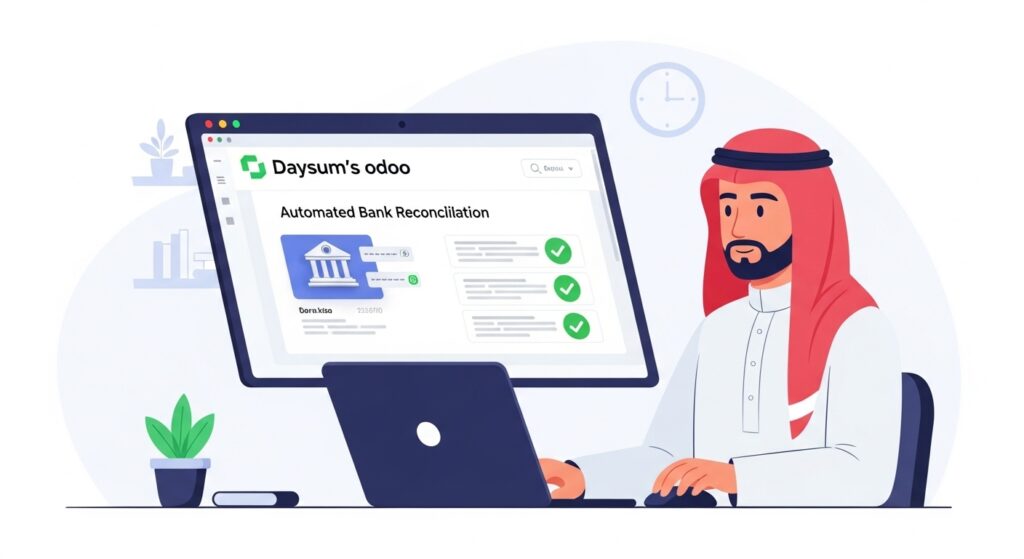
ZATCA approved software is essential for Saudi businesses aiming to stay compliant while streamlining financial operations. One critical process that demands accuracy is bank reconciliation—a mandatory monthly task to ensure your bank statement perfectly matches your accounting records. Errors in this step can lead to compliance risks, financial misstatements, and operational delays.  Daysum, a trusted provider of Odoo e-invoice KSA integration and ERP software for precious metals, automates bank reconciliation with precision, saving time and eliminating costly mistakes. Designed for the Saudi market, Daysum ensures your business meets ZATCA standards while maintaining smooth, accurate, and efficient financial management. What Is Bank Reconciliation and Why It’s Mandatory Bank reconciliation is a mandatory monthly process for Saudi businesses to ensure that their bank statements perfectly match the financial records in their ERP systems. This step is crucial for regulatory compliance, detecting discrepancies, and maintaining accurate financial data for VAT purposes. With the increasing requirements from ZATCA, accuracy and timeliness are no longer optional — they are essential for business success. Key Purposes of Bank Reconciliation Challenges of Manual Bank Reconciliation in Saudi Businesses Many Saudi companies still rely on spreadsheets and manual processes to reconcile bank statements. This often leads to time-consuming, error-prone workflows that delay financial closing and increase the risk of non-compliance with ZATCA regulations. Manual reconciliation not only wastes resources but also creates reporting inconsistencies that can lead to financial penalties. Common Pain Points in Manual Reconciliation Challenge Impact on Business Human errors Inaccurate reports, risk of penalties Delayed processing Missed compliance deadlines Lack of integration Data silos and mismatch with ERP No real-time alerts Issues discovered too late How Daysum’s ZATCA Approved Software Automates Reconciliation Daysum offers a ZATCA approved software solution that eliminates the inefficiencies of manual bank reconciliation. Fully integrated with Odoo e-invoice KSA and designed for industries including precious metals ERP, it automates transaction matching, provides real-time alerts, and ensures VAT-ready data for reporting. This not only saves time but also ensures businesses remain compliant without extra manual effort. Automation Advantages with Daysum Matching Bank Statements with Odoo ERP Records Efficiently Daysum’s integration ensures your bank statement data flows directly into your Odoo ERP system without the need for manual entry. The system instantly compares incoming transactions with your recorded entries, flagging any mismatches. This ensures a smoother monthly close, enhanced accuracy, and full readiness for ZATCA reporting requirements. Steps in Efficient Bank Statement Matching Benefits of Real-Time Bank Reconciliation for Cash Management Real-time bank reconciliation is a game-changer for businesses aiming to optimize cash flow management. By continuously matching bank transactions with accounting records, companies gain immediate visibility into their financial status. This helps prevent overdrafts, detect fraud early, and improve decision-making. For Saudi businesses, especially in precious metals, timely and accurate reconciliation is crucial to maintain compliance with ZATCA regulations and enhance operational efficiency. Key Benefits of Real-Time Reconciliation Steps to Implement Real-Time Bank Reconciliation with Daysum Integrating E-Invoicing (ZATCA Compliant) with Bank Reconciliation In Saudi Arabia, businesses must ensure their invoicing systems comply with ZATCA’s e-invoicing regulations while maintaining accurate bank reconciliation. Daysum’s zatca approved software bridges this gap by integrating e-invoice data directly with financial records. This synchronization helps reduce errors, supports Odoo e invoice KSA requirements, and guarantees regulatory compliance without manual intervention. Key Integration Benefits Case Study: Reducing Errors and Delays with Daysum Software Many Saudi businesses face reconciliation delays due to mismatched invoices and payments. In this case study, a retail company implemented Daysum’s zatca approved software, integrating bank feeds with Odoo-based e-invoicing. Within three months, they reduced reconciliation time by 60% and eliminated common mismatches. Results Achieved How Daysum Supports Precious Metals Businesses with Reconciliation The precious metals sector in Saudi Arabia requires ERP software for precious metals that handles fluctuating prices, high-value transactions, and compliance needs. Daysum offers tailored tools that integrate reconciliation with inventory tracking, VAT compliance, and customer invoicing, ensuring operational accuracy for gold and jewelry traders. Specialized Features for Precious Metals Step-by-Step Guide: Using Daysum for Bank Reconciliation Bank reconciliation doesn’t have to be complicated. Daysum’s zatca approved software offers an intuitive workflow that connects your bank account, invoices, and ERP data into a seamless process. Here’s how to get it done effectively each month. Steps to Complete Reconciliation oost your precious metals business with Daysum’s ZATCA approved software. Automate bank reconciliation, ensure VAT compliance, and streamline your financial processes now! FAQ What is ZATCA approved software?  ZATCA approved software complies with Saudi Arabia’s tax authority requirements for e-invoicing and VAT reporting. It ensures secure, accurate, and auditable financial data management, simplifying tax compliance for businesses in the Kingdom. How does Daysum simplify bank reconciliation?  Daysum automates matching bank transactions with system records, provides real-time alerts for discrepancies, and integrates seamlessly with Odoo e-invoice KSA modules, reducing manual errors and speeding up reconciliation. Why is bank reconciliation mandatory in Saudi Arabia?  Bank reconciliation is mandatory to verify that recorded transactions match bank statements. This ensures financial accuracy, prevents fraud, and complies with Saudi tax regulations and auditing standards. Can Daysum handle precious metals business needs?  Yes, Daysum’s software supports gold and jewelry businesses by syncing live gold prices, segmenting VAT for mixed products, and securely tracking high-value transactions with full audit trails. How does integration with Odoo ERP benefit VAT management?  Integration ensures automatic VAT code validation, real-time tax calculation, and compliant invoice generation. This streamlines VAT reporting and filing, making it easier to meet ZATCA requirements without manual intervention.

Read more
asset management

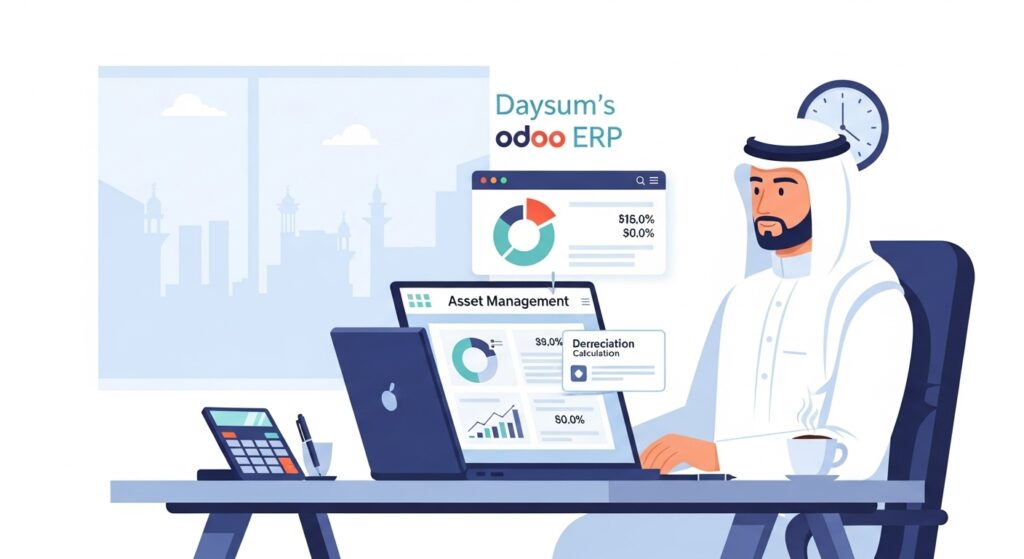
Jewelry accounting software: How Daysum Simplifies Depreciation Management

Jewelry accounting software has become an essential tool for modern jewelry businesses aiming to streamline operations and maximize profitability. In the competitive Saudi market, accurate financial tracking is crucial—especially when it comes to managing depreciation of fixed assets like machinery, tools, and display equipment.  Depreciation directly impacts annual expenses and reported profits, influencing both pricing strategies and long-term growth. With Daysum, a leader in jewelry industry ERP solutions and accounting software for jewelry business, you gain automated, accurate, and regulation-compliant depreciation management—empowering you to make informed financial decisions and keep your jewelry business ahead in a demanding marketplace. What Is Depreciation and Why It Matters for Jewelry Businesses Depreciation is a critical accounting concept that reflects the gradual wear and tear of fixed assets over time. For jewelry businesses, understanding depreciation is essential because it affects asset valuation, tax calculations, and overall profitability. Using specialized jewelry accounting software like Daysum helps accurately track asset depreciation, ensuring better financial planning and compliance with industry standards in the Saudi market. Key Points about Depreciation Calculating Wear and Tear on Fixed Assets with Daysum Accurately calculating depreciation involves evaluating how jewelry business assets lose value through usage and time. Daysum’s jewelry accounting software automates this process, using accepted accounting methods like straight-line or declining balance to ensure precise calculations. This automation minimizes errors and saves valuable time for accounting teams. Common Depreciation Methods Supported by Daysum Both methods are supported by Daysum’s jewelry accounting software to ensure accurate, compliant asset management tailored to the jewelry industry. How Depreciation Impacts Your Financial Statements Depreciation directly affects a jewelry business’s annual expenses and net profits. Properly recording depreciation lowers taxable income, reflects asset value realistically, and impacts cash flow forecasting. Daysum’s software ensures these adjustments are accurately reflected in your profit and loss statements and balance sheets, helping stakeholders make informed decisions. Effects on Financial Statements Automating Depreciation Schedules and Adjustments Manual depreciation tracking can be time-consuming and prone to mistakes. Daysum’s jewelry accounting software simplifies this by automating depreciation schedules and adjustments based on predefined asset life cycles and accounting rules. This automation guarantees compliance with Saudi accounting standards and improves efficiency. How Daysum Automates Depreciation Case Study: Managing Asset Value with Daysum’s ERP Solution  Managing asset value is crucial for jewelry businesses that rely on expensive fixed assets. Daysum’s ERP solution offers a streamlined way to track asset depreciation accurately, helping businesses maintain precise financial records. This case study highlights how a leading Saudi jewelry retailer improved asset management and financial clarity by leveraging Daysum’s tailored ERP software. Key Results from the Case Study Integrating Asset Management with Jewelry Accounting Software Intro: Effective asset management in the jewelry industry requires close integration with accounting software to ensure depreciation and asset values are recorded correctly. Daysum’s jewelry accounting software provides seamless integration, connecting asset tracking with financial reporting to optimize bookkeeping and compliance. Integration Features Best Practices for Annual Depreciation Reviews Intro: Annual depreciation reviews are essential for maintaining accurate financial statements and complying with accounting standards. Jewelry businesses must assess asset values yearly to reflect wear and tear properly. Following best practices ensures that depreciation expenses are realistic and that profits are not overstated. Recommended Review Steps How to Start Managing Depreciation in Daysum Software Intro: Starting depreciation management with Daysum’s software is simple and efficient, designed specifically for jewelry businesses. The platform guides users through setting asset categories, lifespans, and depreciation methods to automate calculations and postings, saving time and reducing errors. Steps to Get Started Simplify Asset Depreciation and Financial Reporting with Daysum’s Jewelry Industry ERP Solutions Intro: Daysum’s ERP solutions simplify the complexity of asset depreciation and financial reporting for jewelry businesses. By automating key tasks and integrating with accounting functions, Daysum helps maintain compliance, accuracy, and timely financial insights, giving businesses the tools to optimize profitability and decision-making. Benefits of Using Daysum ERP Optimize your jewelry business finances with Daysum’s jewelry accounting software. Simplify depreciation management and boost accuracy today! FAQ What is jewelry accounting software?  Jewelry accounting software is a specialized tool designed to manage financial records, including depreciation, inventory, and sales, tailored to jewelry businesses. It helps streamline accounting tasks, improve accuracy, and ensure compliance with industry standards. How does Daysum simplify depreciation management?  Daysum automates depreciation calculations, supports multiple methods like straight-line, and posts entries automatically. This reduces manual errors, saves time, and keeps your financial records up to date effortlessly. Why is depreciation important for jewelry businesses?  Depreciation accounts for asset wear and tear, impacting annual expenses and profit calculations. Proper management helps jewelry businesses maintain accurate financial statements and plan for asset replacement. Can Daysum integrate asset management with accounting?  Yes, Daysum integrates asset data with accounting ledgers in a centralized system, providing real-time depreciation updates and seamless reconciliation for accurate financial reporting. Is Daysum compliant with Saudi financial regulations?  Daysum’s jewelry accounting software complies with Saudi accounting standards and regulatory requirements, ensuring your depreciation and other financial processes meet local legal standards.

Read more
tribal balance report

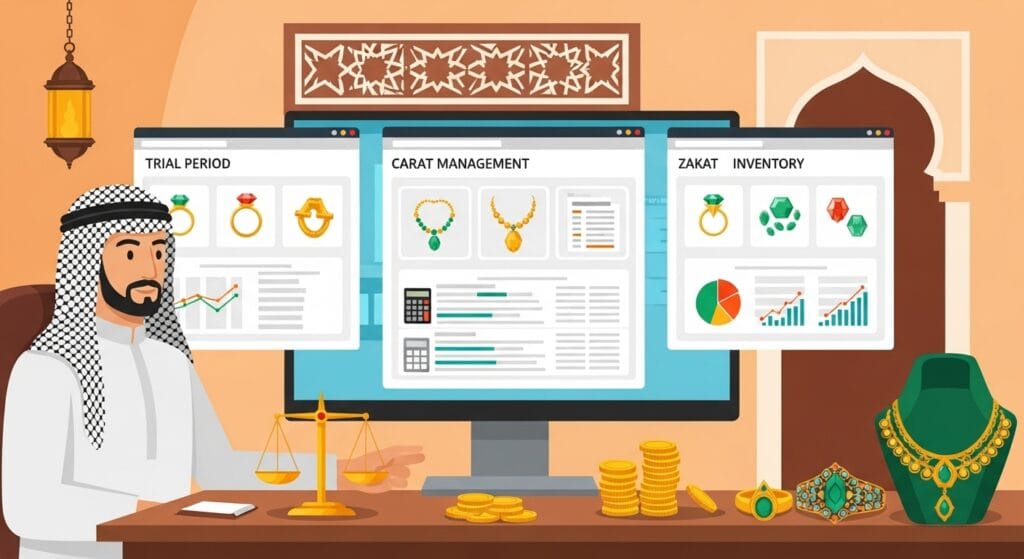
Gold Accounting Software: How Daysum Simplifies Trial Balance Accuracy

Gold accounting software plays a crucial role in ensuring accuracy and transparency for jewelry businesses in Saudi Arabia. With increasing market demands, the need for reliable gold management software has never been greater.  Daysum offers an advanced gold accounting solution designed to simplify trial balance preparation and ensure error-free reporting. The system automates calculations, tracks transactions in real time, and detects discrepancies before closing the financial period.  By leveraging Daysum’s specialized tools, gold retailers and wholesalers can maintain precise records, comply with local regulations, and optimize financial performance while focusing on growing their business in a competitive marketplace. What Is a Trial Balance and Why It Matters in Gold Accounting A trial balance is a foundational tool in gold accounting software, showing all account balances before closing a financial period. For jewelry businesses, especially in the Saudi market, accuracy in this report is crucial for ensuring financial integrity and meeting regulatory requirements. By using advanced gold management software, companies can quickly prepare this report, identify errors, and maintain transparent financial records, ultimately protecting profit margins and supporting sustainable business growth. Key Roles of a Trial Balance Common Errors Detected Through Trial Balance Checks Running a trial balance in gold accounting helps spot issues that could affect business performance. Errors often occur due to manual data entry, incorrect categorization of transactions, or missed adjustments in jewelry stock valuation. With gold management software, these issues can be identified early, preventing misstatements and ensuring your financial statements reflect true performance. Frequent Errors Found How Daysum’s Gold Accounting Software Ensures Balance Accuracy Daysum’s gold accounting software is built to automate trial balance preparation and reduce human errors. By integrating with your store’s sales and inventory systems, it ensures every transaction is recorded accurately and in real time. This not only improves balance accuracy but also speeds up month-end closing, giving you more time to focus on business growth rather than manual reconciliations. Accuracy Features in Daysum Integrating Inventory and Sales Data for Accurate Reporting A major advantage of using gold management software like Daysum is seamless integration between inventory and sales data. This means every sale, purchase, and gold price update directly impacts the trial balance without requiring manual input. Accurate reporting becomes effortless, ensuring both operational efficiency and compliance with accounting standards in Saudi Arabia. Benefits of Integration Feature Benefit Real-time data sync Eliminates delays in reporting. Automatic valuation Reflects accurate gold market prices instantly. Unified dashboard View sales, inventory, and balances together. Trial Balance Reports: What Saudi Jewelers Need to Know In the gold trade, financial accuracy is just as important as the purity of the metal itself. A trial balance report is a core accounting tool that summarizes debit and credit balances before closing the financial period. For Saudi jewelers, this report is vital for ensuring every gold transaction is recorded correctly. With gold accounting software, detecting discrepancies becomes faster, reducing costly errors and building trust with both regulators and customers. Key Benefits of Accurate Trial Balance Reports Case Study: Improving Financial Accuracy in Gold Stores with Daysum Financial inaccuracies can damage a jeweler’s reputation and profitability. This case study examines how a Riyadh-based gold store eliminated trial balance errors by adopting Daysum’s gold management software. The store faced frequent pricing mismatches and unrecorded adjustments, leading to unreliable reports. After switching to Daysum, they gained real-time inventory pricing and automated error detection, improving operational efficiency. Results Achieved Challenge Before Daysum After Daysum Stock Valuation Outdated pricing Real-time gold rates Trial Balance Errors Frequent mismatches 99% accuracy Adjustments Often missed Fully automated How Daysum Supports Regulatory Compliance in Gold Accounting In Saudi Arabia, compliance with financial and tax regulations is non-negotiable, especially for high-value commodities like gold. Daysum’s gold accounting software integrates with ZATCA e-invoicing requirements, ensuring your trial balance aligns with official guidelines. This protects your business from fines and ensures smooth audits. Compliance Features How to Use Daysum’s Software to Simplify Trial Balance Processes Manually preparing trial balances can be tedious and error-prone. Daysum’s gold management software streamlines the process through automation, real-time updates, and intuitive dashboards. Whether tracking purchases, sales, or adjustments, the software ensures the trial balance is always up-to-date and accurate. Steps to Generate a Trial Balance in Daysum Achieve Precise Financial Control with Daysum’s Gold Accounting Software Tailored for Your Business Every gold store has unique operational needs, from managing intricate inventory records to meeting regulatory deadlines. Daysum’s gold accounting software offers tailored features to match your workflow, ensuring your trial balance is not just accurate but also insightful for decision-making. By combining compliance, automation, and precision, it helps Saudi jewelers safeguard profits and grow with confidence. Tailored Benefits for Gold Businesses Boost your accuracy with Daysum’s gold accounting software—simplify trial balances and stay compliant in Saudi Arabia’s gold market. FAQ: What is a trial balance in gold accounting?  A trial balance is a financial report listing all account balances before closing a period. In gold accounting, it helps detect errors in metal valuation, transactions, or entries to ensure accuracy before preparing final financial statements. How does Daysum improve trial balance accuracy?  Daysum’s gold accounting software automates pricing updates, inventory adjustments, and ledger entries. This ensures trial balances reflect real-time values, reducing manual errors and improving financial accuracy for Saudi gold businesses, whether in retail, wholesale, or manufacturing sectors. Can Daysum’s software handle gold price fluctuations?  Yes. Daysum’s gold management software updates prices automatically based on market changes. This ensures accurate valuation in trial balances, sales reports, and tax calculations, giving Saudi jewelers reliable financial data even in volatile gold markets. Is Daysum’s trial balance report compliant with Saudi regulations?  Absolutely. Daysum’s gold accounting software generates trial balance reports in line with Saudi accounting standards, including ZATCA compliance. This helps jewelers meet regulatory requirements effortlessly, avoiding penalties and ensuring smooth audits or financial inspections. Who can benefit from Daysum’s gold accounting software?  Saudi gold retailers, wholesalers, and workshop owners benefit from Daysum’s software. It streamlines accounting, simplifies trial balance preparation, automates compliance, and offers full

Read more
erp

What is Odoo erp: How Daysum Simplifies Journal Entry Management

What is Odoo ERP? It is a powerful, all-in-one business management platform that integrates accounting, sales, CRM, and more into a single streamlined system. For companies in Saudi Arabia, understanding what is Odoo software and its benefits is key to achieving financial accuracy and operational efficiency.  Daysum delivers a tailored Odoo solution designed to simplify journal entry management — the foundation of every accounting record. Whether handling manual entries, automated postings, or reconciliations, Daysum ensures precision and compliance. By centralizing processes, businesses save time, reduce errors, and gain real-time insights to make smarter financial decisions in today’s competitive market. What Is a Journal Entry in Odoo ERP? In the context of what is Odoo ERP, a journal entry is the core accounting record where every financial transaction begins. Whether you’re tracking sales, expenses, or adjustments, Odoo uses journal entries to document debits and credits with full accuracy. For Saudi businesses, understanding what is Odoo software and how journal entries work ensures compliance with ZATCA regulations while maintaining transparent records. Daysum’s Odoo solution offers intuitive tools to create, edit, and track these entries with minimal effort. Key Components of a Journal Entry in Odoo ERP Date & Reference: Marks the exact time and source of the transaction. Accounts Involved: Lists debit and credit accounts impacted. Amounts: Shows transaction values in SAR or other currencies. Description: Brief details for better audit tracking. Status: Draft, posted, or reconciled. The Role of Journal Entries in Financial Accuracy Journal entries are the foundation of accurate financial reporting. In Odoo ERP, they ensure that every transaction is recorded with precision, which is vital for decision-making and tax compliance in Saudi Arabia. By correctly handling adjustments, reconciliations, and periodic closings, journal entries prevent discrepancies that could affect financial statements. With Daysum’s Odoo solution, companies gain built-in validation checks, reducing human errors and strengthening internal controls. This is crucial for maintaining financial integrity and meeting local accounting standards. Benefits of Accurate Journal Entries Reliable Financial Reports – Accurate journal entries ensure that all financial records are correct, making audits smoother and meeting compliance standards without errors. Improved Cash Flow Tracking – Precise recording of income and expenses allows businesses to monitor their cash flow in real time, avoiding liquidity issues. Stronger Decision-Making – Trustworthy financial data empowers managers to make informed strategic and operational decisions with confidence. Manual vs Automated Journal Entries: Pros and Cons In what is Odoo ERP, journal entries can be created manually or generated automatically from linked transactions like invoices and payments. Manual entries offer flexibility for unique adjustments, while automated entries save time and reduce repetitive work. For Saudi businesses managing multiple operations, Daysum’s Odoo solution allows switching between both methods for optimal efficiency. Understanding the pros and cons helps companies choose the right approach based on their size, complexity, and compliance needs. Type Pros Cons Manual Flexible, suitable for special adjustments Time-consuming, higher error risk Automated Fast, consistent, reduces human error Limited customization for unique scenarios How Daysum Simplifies Journal Entry Creation and Validation Daysum’s tailored Odoo solution transforms journal entry management from a tedious task into an efficient, automated process. Designed with Saudi market needs in mind, it supports ZATCA compliance, real-time validations, and instant posting. Businesses no longer have to worry about missing fields or incorrect amounts — Daysum’s system ensures every entry passes quality checks before posting. This boosts financial transparency, reduces reconciliation issues, and accelerates month-end closing. The result is a smoother accounting workflow with higher accuracy and less stress for finance teams. Daysum’s Odoo ERP Journal Entry Features Auto-Fill Functions – Automatically pulls details from linked transactions, reducing manual work and improving speed. Error Alerts – Instantly notifies users of missing or incorrect data, ensuring accuracy before posting. One-Click Posting & Reversal – Speeds up accounting tasks with quick posting or easy reversal of journal entries. Compliance Templates – Pre-designed formats that meet Saudi financial regulations, ensuring legal compliance effortlessly. Best Practices for Journal Entry Management in Saudi Businesses In Saudi businesses, accurate journal entries are the backbone of reliable accounting and compliance. If you’ve been asking what is Odoo ERP and how it can help, Daysum offers a powerful Odoo solution tailored for the Saudi market. From automated entries to error-free reconciliation, Odoo ERP ensures your data is always accurate. Following best practices not only improves efficiency but also prevents costly mistakes that could affect your audits or financial statements. Key Best Practices Standardize Entry Formats – Use predefined templates for consistency. Review Entries Regularly – Schedule periodic audits to catch errors early. Automate Repetitive Transactions – Reduce human error with automated postings. Using Daysum’s Tools to Prevent Common Journal Entry Errors Even the smallest journal entry mistake can distort financial reporting. With Daysum’s Odoo software, Saudi companies can implement smart automation and error detection to ensure accuracy. By combining real-time alerts with compliance-ready templates, Daysum minimizes the risk of incorrect postings. This not only boosts financial accuracy but also helps businesses maintain ZATCA compliance effortlessly. Common Errors & How Daysum Prevents Them Common Error Daysum’s Odoo ERP Solution Missing transaction details Auto-fill from linked transactions Wrong account classification Pre-configured chart of accounts Duplicate entries Automated duplicate detection alerts How Journal Entries Feed into Financial Reporting and Analysis Journal entries are not just bookkeeping records — they are the building blocks of your financial insights. For those exploring what is Odoo ERP, it’s important to know that Daysum’s Odoo solution turns these entries into actionable reports. Accurate entries lead to precise profit analysis, cash flow tracking, and compliance reporting. Without this accuracy, decision-making becomes guesswork, and regulatory risks increase. Benefits of Accurate Journal Entries Reliable Financial Reports – Essential for audits and compliance. Improved Cash Flow Tracking – Precise monitoring of expenses and income. Better Decision-Making – Data-driven strategy based on accurate records. Quick Guide: Making Your First Journal Entry with Daysum If you’re new to Odoo, making your first journal entry can be quick and simple with Daysum’s guidance. Our tailored Odoo ERP system

Read more
top
Business Challenges

Digital Transformation

Security

Automation

Gaining Efficiency