In 2026, the question is no longer whether your company needs an ERP system, but rather how that system should be deployed. As Saudi organizations race toward the full ambitions of Vision 2030, the foundational architecture of their operating software increasingly dictates their agility, security, and profitability — not just their day-to-day convenience.
Selecting the infrastructure for your enterprise software is one of the most consequential IT and financial decisions your executive team will make. Do you invest heavily upfront to own and control the hardware, or do you transition to a flexible, subscription-based model managed by external experts? For businesses operating under Saudi regulatory frameworks — ZATCA e-invoicing mandates, GOSI payroll obligations, and increasingly strict data residency expectations — this decision carries weight that goes beyond IT budgets alone. Making the wrong choice can trap your business in rigid legacy workflows, expose you to unexpected recurring costs, or worse, complicate your path to full regulatory compliance.
In this comprehensive guide, we break down the fundamental differences between Cloud and On-Premise deployments, analyze the total cost of ownership through a Saudi operational lens, and help you determine which model aligns with your strategic growth.
1. The Core of Enterprise Resource Planning
Before evaluating deployment methods, it is crucial to understand what is at stake. Enterprise resource planning software acts as the central nervous system of your business. It unifies isolated departments — finance, human resources, manufacturing, supply chain, and sales — into a single database. This integration provides executive leadership with real-time visibility and automated workflows.
Regardless of where the software lives — on a server in your own building or in a data center on the other side of the world — the goal remains the same: eliminating data silos, reducing manual entry errors, and driving scalable growth. You can explore modern enterprise resource planning capabilities to see how these modules interlock to streamline operations, from POS and inventory through to HR and financial reporting.
For Saudi businesses specifically, the deployment decision also intersects directly with compliance. Every transaction that touches ZATCA’s Fatoora platform, every payroll run that calculates GOSI and Wage Protection System (WPS) obligations, ultimately depends on where and how your ERP is hosted, updated, and secured.
2. Cloud ERP: Agile, Scalable, and Compliance-Ready
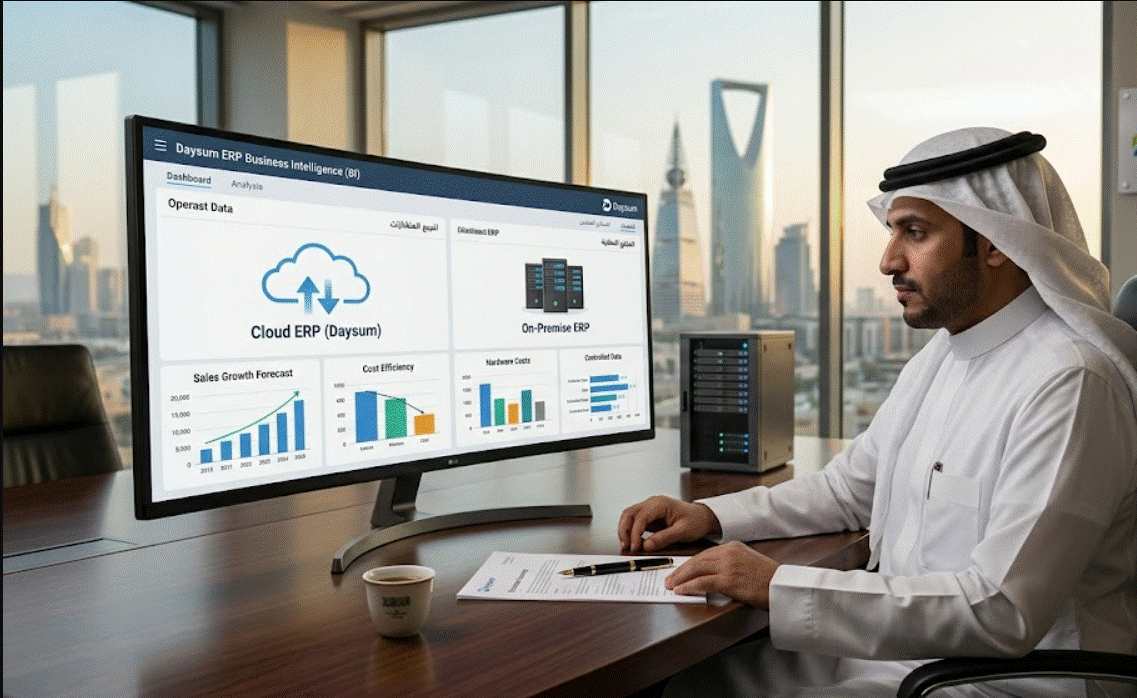
A Cloud ERP is hosted on remote servers managed by the software vendor or a third-party cloud provider (such as AWS, Microsoft Azure, or Google Cloud). Your employees access the system via a web browser or dedicated application, relying on internet connectivity to reach a centrally maintained environment.
The Advantages of the Cloud
- Rapid Deployment: Because the infrastructure already exists, cloud implementations focus immediately on business configuration rather than hardware procurement — a significant advantage when racing to meet a ZATCA Phase 2 compliance deadline.
- Predictable OpEx: Costs shift from massive upfront capital expenditures (CapEx) to predictable, subscription-based operational expenses (OpEx), freeing capital for growth rather than server rooms.
- Automatic Updates: The vendor continuously pushes security patches and feature upgrades to the cloud — including updates to keep pace with evolving Saudi tax and labor regulations — without requiring your internal IT team to manage the rollout manually.
- Mobility and Multi-Branch Sync: Teams can access real-time data from anywhere, which matters enormously for multi-branch retailers, contractors managing sites across the Kingdom, or businesses coordinating between Riyadh, Jeddah, and Dammam operations from one dashboard.
- Centralized Pricing Control: For businesses managing volatile, centrally-set pricing — such as commodity-linked goods — a cloud architecture means pricing updates propagate instantly across every branch and every point of sale, with nothing to synchronize manually at each location.
The primary trade-off with cloud deployment is the reliance on continuous connectivity and the reality that subscription fees are perpetual — you rent the software rather than own it outright.
3. On-Premise ERP: Control, Infrastructure, and Legacy
An On-Premise ERP system is installed locally on your company’s physical servers and managed entirely by your internal IT staff. While this is the traditional method of deploying software, it remains highly relevant for specific industries and regulatory contexts.
The Advantages of On-Premise
- Absolute Data Ownership: For organizations in highly regulated sectors, or those with strict internal policies mandating that data never leave company-owned infrastructure, keeping data on internal servers can be a non-negotiable requirement.
- Total Customization: Because you own the software and the server, your IT team has the freedom to heavily customize the underlying code to fit highly specific, non-standard manufacturing or operational processes.
- Offline Independence: Your core operations are not hostage to your Internet Service Provider. If connectivity goes down, your factory floor or warehouse can continue to operate and log data locally.
The heavy burden of On-Premise lies in the server cost and infrastructure maintenance. You must purchase the hardware, secure the server room, pay for cooling and electricity, and retain a dedicated IT team for continuous technical support, backups, and eventual hardware refreshes — costs that rarely appear in the initial project quote.
Deep-Dive Deployment Comparison
| Evaluation Metric | Cloud ERP | On-Premise ERP |
|---|---|---|
| Initial Cost | Low (implementation + subscription setup) | High (software licenses + hardware purchases) |
| Ongoing Cost | Higher (monthly/annual per-user subscriptions) | Moderate (IT salaries, maintenance, power) |
| Implementation Speed | Fast (weeks to a few months) | Slow (months to over a year) |
| Tech Support | Managed entirely by the vendor, 24/7 | Reliant on internal IT staff and business hours |
| System Upgrades | Automatic and included in the fee | Manual, complex, and often requiring consultant fees |
| Customization | High configuration flexibility, but limited core code changes | Absolute freedom to alter the source code |
| ZATCA/Compliance Updates | Pushed centrally as regulations evolve | Must be manually scheduled and deployed by your team |
Businesses comparing an ERPNext gold setup against Odoo often find the deciding factor is deployment flexibility. Daysum’s cloud-first Odoo build updates gold pricing centrally without touching local servers — no branch-by-branch manual syncing, no delay between a market price shift and what your cashiers see at checkout. Ask us for a side-by-side deployment comparison tailored to your branch count and product mix.
For further reading on how to secure your data regardless of deployment model, review our Data Protection Guidelines.
4. The Financial Reality: Total Cost of Ownership (TCO)
When comparing the two models, businesses often make the mistake of comparing the 5-year cloud subscription fee directly to the upfront On-Premise software license. This is a fundamentally flawed comparison.
To understand the true Total Cost of Ownership, you must account for the “hidden” costs of On-Premise deployments. A server investment requires electricity, HVAC cooling, physical security, disaster recovery redundancies, and the salaries of the IT professionals required to keep it running safely — costs that accumulate quietly, year after year, long after the initial purchase order is closed.
There is also a compliance-specific cost dimension unique to the Saudi market: every time ZATCA updates its e-invoicing technical specifications, or GOSI adjusts its contribution schedules, an On-Premise system requires a scheduled, budgeted update cycle — typically coordinated with your implementation partner. A cloud-hosted, centrally-managed Odoo environment absorbs these regulatory shifts as part of the subscription, removing one more line item from your internal IT roadmap.
To help you visualize how these different cost structures accumulate over a standard hardware lifecycle (5 years), we have provided an interactive TCO calculator on this page. Adjust the parameters to reflect your company’s size and expected infrastructure costs to see where the financial break-even point occurs.
5. Which Model Fits Your Saudi Operation?
The right answer depends less on which technology is objectively superior and more on which architecture matches your operational reality and compliance posture.
Cloud ERP is typically the stronger fit if:
- Your organization prioritizes rapid deployment ahead of a regulatory deadline.
- You operate across multiple branches or cities and need centrally synchronized pricing, inventory, or promotions.
- You want ZATCA, GOSI, and WPS updates handled centrally rather than scheduled manually by internal IT.
- You want to shift IT burden and headcount away from server maintenance and toward strategic projects.
On-Premise ERP remains justified if:
- Your enterprise operates in a highly niche industry requiring profound, low-level software customization.
- Internal policy or a specific regulatory mandate requires that data never leave your physical building.
- You already carry the internal IT capacity to manage servers, backups, and manual regulatory updates without disruption.
6. Conclusion
Ultimately, the choice between Cloud and On-Premise ERP systems is not a matter of which technology is objectively superior, but which architecture best aligns with your business strategy and your compliance obligations as a Saudi enterprise. If your organization prioritizes rapid deployment, continuous innovation, multi-branch mobility, and shifting IT and regulatory burdens away from internal teams, a Cloud ERP is the definitive choice.
Conversely, if your enterprise operates in a highly niche industry requiring profound software customization, or if strict internal policy demands that your data never leaves your physical building, the heavier initial investment of an On-Premise system is justified.
Evaluate your long-term digital transformation goals, run the numbers through the TCO calculator, and choose the foundation that will support your enterprise — and your compliance posture — for the next decade.
Not sure which model fits your operation? Book a comprehensive, no-obligation consultation with Daysum today. Our bilingual consultants will map your branch structure, compliance requirements, and growth plans against both deployment models before recommending a path forward.
Yes. Reputable Cloud ERP vendors host data in enterprise-grade data centers (like AWS or Azure) that employ bank-level encryption, multi-factor authentication, and redundant global backups. In most cases, these cloud providers have significantly stronger cybersecurity defenses than a standard mid-market company could afford to build on-premise.
Yes, this is known as a "Cloud Migration." Many legacy businesses are currently executing this exact transition. However, migrating historical data from a highly customized on-premise database into a standardized cloud environment can be complex and requires careful mapping by implementation specialists.
Because Cloud ERPs are entirely web-based, an internet outage will severe your access to the live system. Most modern businesses mitigate this risk by utilizing backup internet lines (such as cellular 5G failovers) to ensure continuous connectivity.
Yes. A Hybrid ERP (or Two-Tier ERP) approach allows a company to keep critical, highly secure functions (like proprietary manufacturing data) on-premise, while utilizing agile cloud applications for customer-facing operations (like CRM or e-commerce). This offers a balance of control and flexibility for large enterprises.