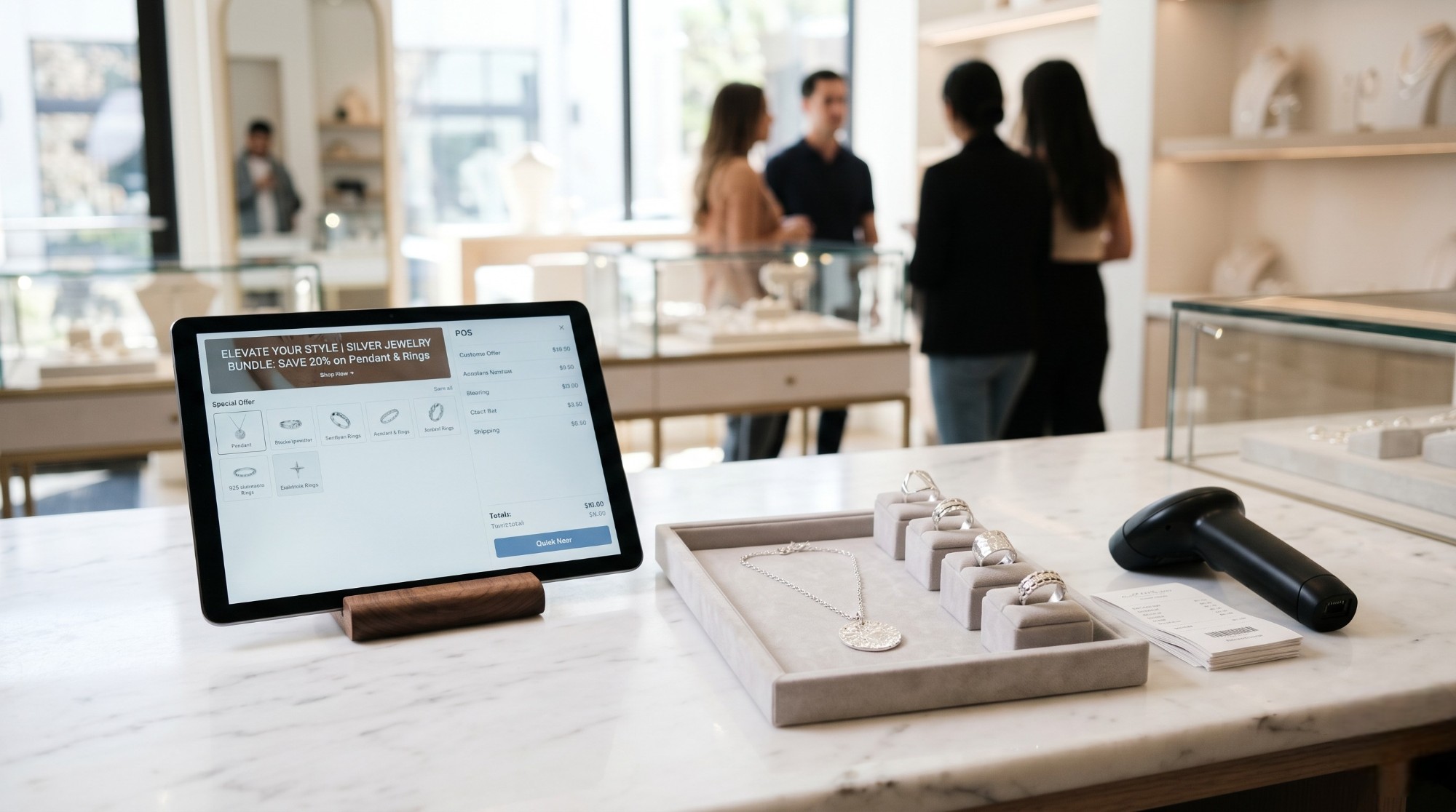
The silver retail sector operates on a fundamentally different dynamic than high-end diamonds or heavy gold bullion. Silver jewelry sales are heavily driven by fashion trends, seasonal collections, and impulse buying. Because the raw material cost is lower, retailers can afford to stock a massive variety of intricate designs, encompassing thousands of unique SKUs.
However, this massive variety is a double-edged sword. While it attracts a diverse customer base, it also creates severe logistical challenges. A store with 10,000 unique silver rings, pendants, and bracelets can easily fall into “inventory bloat.” When pieces sit in the display case for six, nine, or twelve months without moving, they freeze the company’s working capital. Accelerating turnover—the rate at which inventory is sold and replaced—is the single most important metric for profitability in this sector. Implementing robust Silver Inventory Management powered by the Daysum ERP system allows retailers to transform static display cases into highly liquid cash flow engines.
Identifying and Liquidating Dead Stock
You cannot sell what customers do not want, and hoping a faded trend will suddenly return is not a viable business strategy. The first step to accelerating turnover is identifying the “dead” inventory that is occupying valuable physical and financial space.
Executing Dead Stock Analysis
Without proper software, finding slow-moving items requires physically picking through display trays. Daysum automates dead stock analysis through its central dashboard.
- Aging Reports: Management configures the ERP to flag any 925 silver item that has not sold a single unit within a specific timeframe (e.g., 90 or 120 days).
- Performance by Vendor: The system highlights which suppliers are providing the worst-performing designs. If Vendor A’s necklaces turn over in 30 days but Vendor B’s sit for 180 days, the purchasing manager knows exactly where to allocate the next buying budget.
- Category Drill-Down: The analysis goes beyond general trends. It might reveal that while silver rings are selling fast, specifically “heavy men’s silver rings with black onyx” are completely stagnant.
The Liquidation Protocol
Once the dead stock is identified, the retailer must ruthlessly liquidate it to free up cash flow.
- Automated Markdowns: Through the Daysum Cloud POS, management can select the stagnant SKUs in bulk and apply a strict markdown percentage.
- Display Relocation: Stagnant items are physically moved from premium eye-level display cases to designated “Sale” trays near the checkout counter to encourage impulse purchases.
- Melting and Recycling: If an item simply will not sell even at a steep discount, the system allows the manager to execute a “Scrap Conversion.” The item is removed from active retail inventory, its weight is logged, and it is sent back to the workshop to be melted down or traded to a supplier for fresh designs.
Accelerating Sales with Bundling Offers
One of the most effective strategies to increase both turnover and the average transaction value is bundling. Bundling promotions group multiple items together at a slightly reduced combined price, compelling the customer to buy more than they initially intended.
How to Structure Silver Bundles
- The “Complete the Look” Bundle: Grouping a silver pendant with matching earrings and a ring. If the items individually cost 500 SAR, the bundle is priced at 420 SAR.
- The “Buy One, Get One” (BOGO) Strategy: This is highly effective for clearing dead stock. The customer pays full price for a fast-moving item and gets a heavily discounted (or free) slow-moving item.
- Gift Sets: Pre-packaging silver items in high-quality boxes specifically targeted at holiday shoppers or Valentine’s Day buyers.
System Configuration for Bundles
Generic cash registers struggle with bundles, often requiring cashiers to manually override prices, which ruins margin tracking. The Daysum Silver Inventory Management system handles this flawlessly.
The manager creates a new “Bundle SKU” in the back office and links the individual component SKUs to it. When the cashier scans the Bundle barcode, the system automatically pulls the correct promotional price, prints a compliant ZATCA receipt, and deducts all individual component items from the active inventory simultaneously.
Table: Single Item Sales vs. Bundling Strategy
| Retail Metric | Single Item Focus | Daysum Bundling Strategy |
| Units Sold per Transaction | 1 to 1.5 units. | 2 to 4 units. |
| Inventory Turnover Rate | Slow; items sell individually. | Rapid; multiple SKUs move simultaneously. |
| Dead Stock Clearance | Requires deep, profit-destroying discounts. | Hidden within the bundle value, preserving margins. |
| Customer Perception | Standard retail transaction. | High perceived value and “getting a deal.” |
POS Speed Efficiency During Peak Seasons
In the silver trade, a massive percentage of annual revenue is generated during concentrated peak season rushes, such as the weeks leading up to Eid or major national holidays. During these periods, customer foot traffic multiplies exponentially.
The Cost of a Slow Checkout
If a customer selects a silver bracelet but sees a 15-minute line at the register, there is a high probability they will place the item back on the counter and walk out. Slow checkout speed directly caps your maximum daily revenue.
Optimizing the Cloud POS
Daysum is engineered for high-volume transactions. Speed efficiency at the point of sale is achieved through several technical advantages:
- Instant Barcode Recognition: The software processes barcode scans in milliseconds, instantly displaying the item image, weight, and price. There is no lag or loading screen between scans.
- Integrated Payments: The POS connects directly to the Mada credit card terminals. The cashier does not need to manually type the final amount into the card machine; the software pushes the exact amount over, preventing typing errors and saving ten seconds per customer.
- Fast Receipt Printing: The system generates the complex cryptographic ZATCA e-invoice and prints the physical thermal receipt almost instantaneously.
- Mobile Queue Busting: Because Daysum operates as a Cloud POS, store owners can deploy staff with tablets during peak rushes. Sales associates can scan items and process sales directly on the showroom floor, bypassing the main counter entirely and keeping the crowd moving.
By actively managing dead stock, deploying strategic bundles, and ensuring lightning-fast checkouts, silver retailers can dramatically increase their inventory turnover, generating consistent cash flow and protecting their business from the risks of stagnant capital. For modern jewelers looking to increase profitability, we highly recommend reading about Silver Inventory Turnover POS. Silver typically turns over faster than gold, which means your POS needs to recalculate cost basis more frequently, not just once a month at close. Request a demo of real-time silver turnover reporting.
Frequently Asked Questions (FAQ)
For high-volume fashion silver, you should run the Daysum aging report at least once a month. Fashion trends shift rapidly, and catching a slowing trend at 60 days gives you a much better chance of liquidating it profitably than waiting until it has sat for 180 days.
Yes. The Daysum system utilizes proportional cost allocation. If a bundle is sold at a discount, the software automatically distributes that discount proportionally across the cost of goods sold (COGS) for each individual item within the bundle, ensuring your profit reports remain mathematically accurate.
No. The Daysum POS features an offline mode specifically designed for these scenarios. The register will continue to scan barcodes, apply prices, and print receipts without interruption. Once the internet connection is restored, the local terminal syncs the batch of offline transactions directly to the central cloud server.
Daysum manages this globally. The store manager inputs the daily base rate for 925 silver in the morning. When the cashier scans a weight-based item, the POS instantly multiplies the scanned weight by the updated daily rate, ensuring 100% pricing accuracy without manual calculations.
Absolutely. Every transaction processed through the Cloud POS requires the cashier or sales associate to log in with a unique PIN. The dashboard provides detailed reports showing exactly how many items each staff member sold, their average transaction value, and how effectively they pushed bundle promotions.
Yes. Within the Silver Inventory Management module, you can establish minimum stock thresholds for specific SKUs or categories. When a popular item sells down to that limit, the system alerts the purchasing manager and can automatically generate a draft purchase order for the relevant vendor.