In the fast-paced, high-value world of retail jewelry, information is just as precious as the physical inventory locked inside your vault. For decades, many established jewelry stores and diamond boutiques have relied on older, localized software systems to run their daily operations. These legacy systems may have served their purpose in the past, but as the retail landscape evolves, they quickly become a severe bottleneck. The demand for omnichannel selling, real-time analytics, and strict government tax compliance has made upgrading to a modern Enterprise Resource Planning (ERP) platform an absolute necessity. However, despite the glaring inadequacies of their current software, many store owners delay this crucial transition for one primary reason: the overwhelming fear of data loss.
The prospect of a massive Jewelry Data Migration can feel paralyzing. Your current system holds years—perhaps decades—of vital business intelligence. It contains the purchase histories of your highest-net-worth VIP clients, the specific wholesale costs of thousands of loose diamonds, the meticulous records of your gold inventory by the gram, and the precise financial ledgers that keep your business legally compliant. The thought of this data becoming corrupted, lost, or jumbled during a system switch is enough to keep any business owner awake at night.
Fortunately, migrating to a modern platform does not have to be a chaotic or destructive process. With the right methodology, advanced data mapping tools, and a dedicated migration team, transitioning from an obsolete setup to a state-of-the-art system is a highly structured, secure, and seamless event. Whether you need to upgrade silver POS terminals across a ten-store retail chain or replace the localized Diamond software in a single high-end boutique, this comprehensive guide will demystify the migration process. We will explore how to overcome upgrade anxiety, securely transfer your critical data, retain your existing physical barcodes, and ensure your financial balances match perfectly from day one—all without ever having to halt your daily retail sales.
1. Overcoming Upgrade Fears: The Cost of Doing Nothing
Before diving into the technical mechanics of a data transfer, it is essential to address the psychological and operational hurdles that prevent jewelry retailers from modernizing their infrastructure. The fear of transitioning to a new system is deeply rooted in the operational disruption that business owners anticipate. “Will my store have to close for a week?” “Will my staff know how to use the new screens?” “What if my customer VIP list vanishes?” These are valid concerns, but they must be weighed against the massive, hidden costs of doing nothing and clinging to an outdated system.
The Dangers of Legacy Systems in the Jewelry Trade
Older point-of-sale and inventory systems were simply not built to handle the complexities of the modern jewelry market. A legacy system often operates on localized, physical servers that are highly vulnerable to hardware failure, data corruption, and catastrophic loss in the event of a fire or theft. Furthermore, as technology advances, the developers of these older systems often stop providing critical security patches and software updates. This leaves your highly sensitive business data—including the personal contact information and buying habits of your top clients—exposed to modern cyberattacks and ransomware threats.
Beyond security, legacy systems severely stifle business growth. If you are trying to expand your brand by opening a second location or launching an e-commerce storefront, an outdated system will lack the necessary Application Programming Interfaces (APIs) to sync your inventory in real-time. You end up managing multiple, disconnected databases, leading to stockouts, overselling, and frustrated customers. Finally, in regions like the Middle East, government mandates regarding digital taxation are forcing the issue. Operating software that cannot seamlessly integrate with Phase 2 ZATCA electronic invoicing compliance is no longer just an inconvenience; it is a legal liability that can result in severe financial penalties and the suspension of your commercial operations. Implementing the right billing strategy is much easier when you read about Jewelry ZATCA Tax Compliance Guide.
The Guided Migration Approach
The key to conquering upgrade fears is realizing that you do not have to perform this monumental task alone. A successful Jewelry Data Migration is not a “Do-It-Yourself” software installation; it is a collaborative project managed by expert technical support and implementation teams.
When you partner with a premium ERP provider like Daysum, the transition is treated as a highly choreographed event. The migration team begins with a deep-dive audit of your current operations, identifying exactly where your data lives, how it is structured, and what custom fields your business relies on. By establishing a clear roadmap, setting realistic timelines, and providing constant communication, the implementation team transforms a terrifying technological leap into a manageable, structured, and highly secure business upgrade. You can rest assured that your transition from an outdated Diamond software to a modern cloud ecosystem will be handled with the same precision and care that you apply to setting a precious gemstone.
2. Exporting Data, Excel Imports, and Managing Old Barcodes
The core of any system upgrade is the extraction and transformation of your historical data. Your legacy system speaks one digital language, and your new ERP speaks another. The migration process acts as the ultimate translator, ensuring that every gram of gold and every carat of diamond is accurately represented in your new digital vault.
The Mechanics of Data Extraction and Excel Import
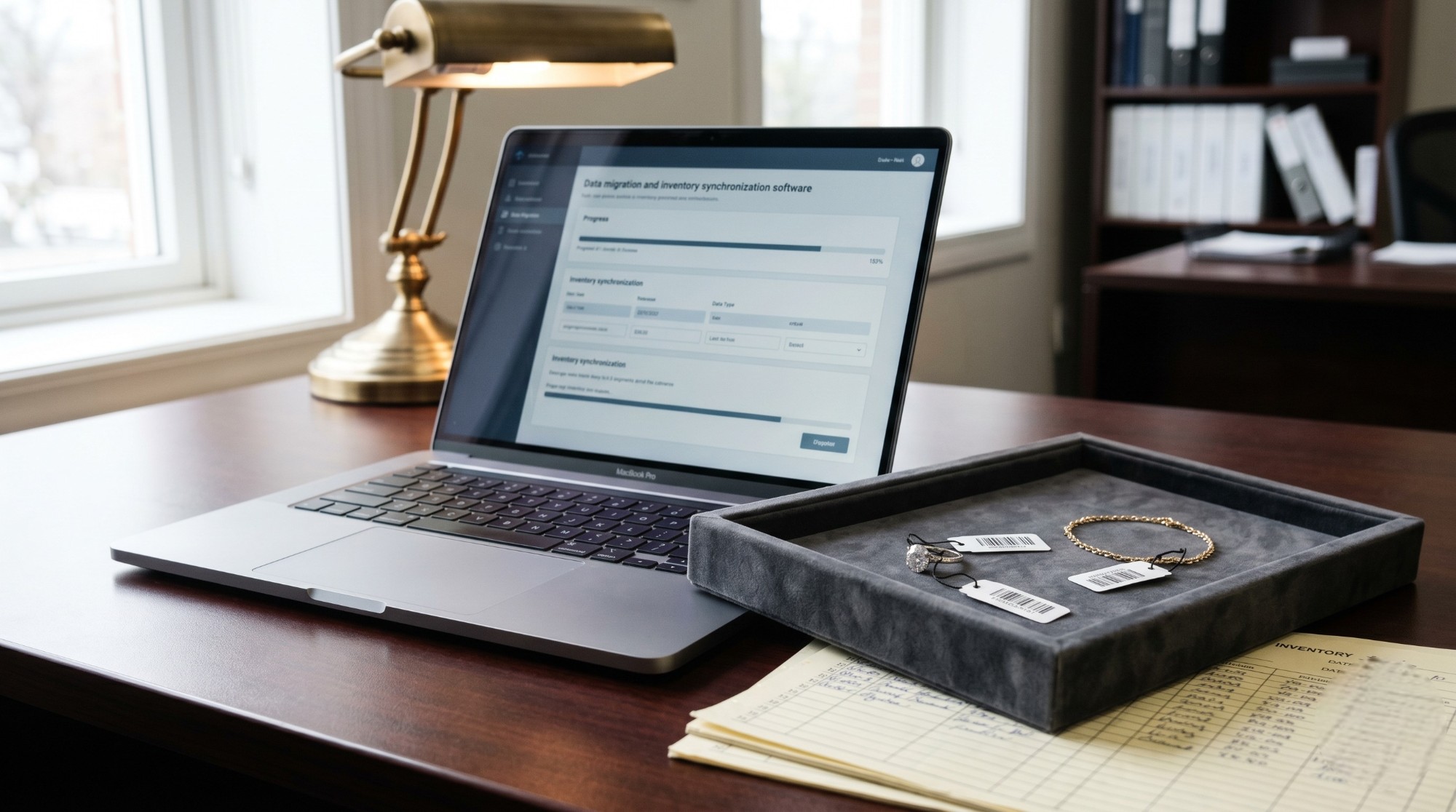
The first technical step in the migration journey is extracting your data from the old system. Most legacy POS systems, regardless of their age, have the capability to export their core databases into universal spreadsheet formats, typically Comma Separated Values (CSV) or Microsoft Excel files.
During this phase, you will export distinct datasets: your master inventory list, your customer database, your vendor contact list, and your historical sales data. This is where the power of the Excel import function within your new ERP comes into play. Rather than manually typing thousands of individual SKUs into the new system—a process that would take months and introduce massive human error—the new ERP allows for bulk uploading.
However, before the import occurs, the data must be “cleansed” and mapped. Data cleansing involves reviewing the exported Excel spreadsheets to fix inconsistencies. For example, if your old system allowed staff to type “18k”, “18 Karat”, and “18 Kt” interchangeably, the migration team will standardize these entries so the new ERP recognizes them as a single, unified metal purity category. Next, the data mapping process ensures that the “Cost Price” column from your old software aligns perfectly with the “Landed Wholesale Cost” field in your new specialized gold and diamond ERP software. This meticulous alignment guarantees that your inventory valuation remains perfectly accurate after the transfer.
Solving the Nightmare of Retagging: Retaining Old Barcodes
Perhaps the single biggest logistical nightmare that jewelers fear during an upgrade is the prospect of having to physically re-tag their entire inventory. If you have a high-volume retail operation, you might have 10,000, 20,000, or even 50,000 individual pieces of silver jewelry sitting in your display cases, each carrying a tiny, physical barcode tag generated by your old software.
The thought of pulling every single silver ring, chain, and pendant out of the display, cutting off the old tag, printing a new tag from the new system, and reattaching it is an operational disaster. It would require hundreds of hours of labor, completely disrupt your merchandising, and inevitably lead to physical items being mixed up or lost.
A premium modern ERP entirely eliminates this problem through its flexible architecture. When the implementation team maps your data during the Excel import, they dedicate a specific field to capture your Old barcodes. When the new system goes live, it doesn’t just recognize its own newly generated SKUs; it is programmed to recognize and read the legacy barcodes natively. This means that on day one of using your new ERP, your cashier can pick up a silver bracelet that has been sitting in the display case for a year, scan the old physical tag, and the new system will instantly pull up the correct item, current price, and inventory data. You only need to print new tags for fresh inventory arriving from vendors, allowing you to Upgrade silver POS operations without disrupting your physical retail floor.
Handling Complex Diamond and Gemstone Attributes
Migrating diamond inventory requires an extra layer of precision. Unlike a silver ring, which might just have a weight and a price, a diamond has a vast array of unique attributes: Cut, Color, Clarity, Carat weight, symmetry, fluorescence, and specific laboratory certification numbers (like GIA or IGI).
During the data export, the implementation team ensures that these granular details are not lost or compressed. The new ERP’s diamond module is designed to ingest this highly specific data, attaching the digital grading certificates directly to the new SKU profiles. This ensures that your sales staff retains immediate access to the technical specifications required to close high-ticket luxury sales, maintaining the continuity of your elite customer service.
3. Matching Opening Balances and Financial Continuity
While migrating physical inventory and customer names is critical, it is only half of the equation. The true test of a successful Jewelry Data Migration lies in the accounting department. Upgrading your ERP means upgrading your central financial nervous system. If the financial data is not transitioned flawlessly, you risk severely damaging your business’s financial health, confusing your tax reporting, and alienating your vendors.
The Importance of the Opening Balance
In accounting terms, you cannot simply start a new software system with a blank slate if you are an ongoing business. You must establish accurate Opening balances. The opening balance is the exact financial snapshot of your company at the exact moment the old system is turned off and the new system is turned on.
Establishing this requires meticulous coordination between your internal accounting team and the ERP implementation specialists. It involves migrating the total financial value of your physical assets (your inventory valuation), your liquid assets (cash in the registers and bank accounts), your liabilities (what you owe to your vendors and suppliers), and your receivables (what your wholesale clients or layaway customers owe to you).
Migrating Accounts Payable and Vendor Ledgers
In the jewelry wholesale and manufacturing sector, businesses operate heavily on credit and consignment. You might have received 5 kilograms of gold chains from a supplier in Italy, paid for half of it, and still owe the remaining balance based on next month’s fluctuating gold spot price.
When transitioning to the new ERP, these complex vendor relationships must be preserved perfectly. The migration process involves extracting the exact outstanding balances from your old accounts payable module and importing them as the opening balances for your vendor profiles in the new system. This ensures that when it is time to cut a check or initiate a wire transfer the following week, your accounting department knows exactly what is owed, preserving your critical supply chain relationships and maintaining your creditworthiness in the industry.
Managing Customer Receivables and Layaways
The same stringent rules apply to your retail customers. Many jewelry stores offer layaway programs or custom design services where a customer pays a 50% deposit upfront and pays the remaining balance upon collection.
If you are migrating systems in the middle of a busy season, you will have dozens of open, partially paid invoices. The data migration process must capture these open tickets, transferring the customer’s profile, the specific item they have reserved, the total price, and the exact deposit amount already paid. When the customer walks into the store a week later to pick up their custom engagement ring, the new ERP will instantly pull up their remaining balance, allowing the cashier to process the final payment seamlessly without having to calculate manual adjustments or apologize for “system upgrade issues.”
Validating the General Ledger
Once all the individual data points—inventory value, payables, and receivables—are imported, the final step in this phase is validating the General Ledger. The total assets must equal the total liabilities plus equity, just as they did in the legacy system. The implementation team will run parallel financial reports in both the old and new systems on the day of the switch. Only when these final numbers match to the exact penny is the financial migration considered a success, ensuring absolute continuity for your business’s fiscal year.
4. Fast & Secure Setup: Go-Live Without Halting Sales
The culmination of the entire data migration project is the “Go-Live” phase. This is the moment the old system is officially retired, and your staff begins processing live transactions on the new ERP. The ultimate goal of a professional migration is to execute this switch so smoothly that your customers never even notice a service disruption.
The Mock Migration and Parallel Testing
To guarantee a flawless launch, premium software providers never perform a migration blindly. Weeks before the actual Go-Live date, the technical team will perform a “Mock Migration.” They will take a recent backup of your legacy database, run it through their data mapping tools, and import it into a secure testing environment (a “sandbox”) of the new ERP.
This sandbox allows your management team to log in and physically verify the data. You can search for specific VIP clients, check the inventory counts of your most expensive diamonds, and review the Opening balances. If any data appears misaligned or formatted incorrectly, the technical team adjusts its import scripts. This trial run ensures that all potential technical hurdles are resolved in a safe environment, entirely removing the risk of data corruption during the actual live transfer.
The Secure Transfer Protocol
Because you are moving highly sensitive financial and personal data, the method of transfer must be heavily guarded. A Secure transfer protocol means that your data is never sent via unencrypted emails or left on unsecured flash drives. The implementation team utilizes encrypted, point-to-point data pipelines to move your exported CSV files directly into the heavily guarded cloud servers hosting your new ERP. This military-grade encryption ensures that your client lists and wholesale pricing matrices remain completely invisible to external threats during the transition phase.
Executing the Final Cutover
The final cutover is typically scheduled during your store’s lowest traffic period—often late on a Saturday night or early on a Sunday morning.
- The Final Export: Once the store closes, all registers are reconciled in the old system. The final, definitive data export is generated, capturing the very last sales of the day.
- The Live Import: The implementation team immediately imports this final dataset into the pre-configured new ERP environment.
- The Validation Check: Management reviews the opening balances and inventory totals one last time to ensure 100% accuracy.
- The Go-Live: The old system is locked to prevent any further data entry, and the new ERP is activated.
When your staff arrives the next morning, they log into the new, modern interface. Because the system was designed to read the Old barcodes and all the Opening balances are perfectly aligned, they simply open the doors and begin selling immediately.
Training and Ongoing Support
A successful migration does not end the moment the software is turned on. A sudden shift in technology can be overwhelming for retail staff used to doing things a certain way for years. To ensure high adoption rates and minimal frustration, the implementation must include comprehensive training.
Staff should be trained during the “sandbox” phase, allowing them to practice ringing up sales, processing returns, and creating custom orders using dummy data before the system goes live. Furthermore, having dedicated on-call Support during the first few weeks of the Go-Live phase is critical. If a cashier forgets how to process a split payment or a manager needs help generating a new automated daily journal report, having instant access to a knowledgeable support team ensures that minor learning curves do not escalate into major operational delays.
Conclusion
Clinging to an outdated legacy system out of fear is one of the most expensive mistakes a modern jeweler can make. While the prospect of transitioning decades of business history may seem daunting, a professional Jewelry Data Migration is a highly controlled, secure, and predictable process. By utilizing advanced Excel import tools, mapping your data precisely, retaining your Old barcodes to eliminate manual retagging, and ensuring your financial Opening balances are perfectly matched, you can modernize your entire infrastructure without losing a single day of sales. Upgrading your business to a state-of-the-art ERP is not just about adopting new technology; it is about protecting your historical data, empowering your staff, and building a scalable, resilient foundation for the future of your luxury brand.
FAQ
A: No. A professional data migration meticulously maps your historical sales data. Your new ERP will retain complete customer profiles, allowing your sales staff to see exactly what a VIP client bought five years ago on the legacy system.
A: Absolutely not. The actual data extraction and final import (the "cutover") are orchestrated after business hours. With proper preparation and mock testing, you will close your store using the old system at night and open the next morning fully operational on the new ERP.
Far far away, behind the word mountains, far from the countries Vokalia and Consonantia, there live the blind texts. Separated they live in Bookmarksgrove right at the coast
A: Yes. Modern jewelry ERPs are designed with flexible barcode mapping. The system will import your existing barcode numbers and link them to the newly created digital SKUs, meaning your scanners will recognize all the old tags currently sitting in your display cases.