The precious metals and jewelry retail market is undergoing a massive transformation. While gold has traditionally dominated the spotlight as a high-value investment, the silver retail sector is currently experiencing unprecedented growth. Driven by shifting consumer demographics, accessible price points, and rapidly changing fashion trends, silver jewelry has become the ultimate go-to for daily wear and gift-giving.
However, running a successful silver retail business presents a completely different set of operational challenges compared to a high-end gold or diamond boutique. The primary difference lies in the volume of transactions. A luxury diamond store might process five high-value transactions in a day, allowing the cashier ample time to process paperwork. A bustling silver shop, on the other hand, might process hundreds of transactions in that same timeframe. When you are dealing with high foot traffic, your Point of Sale (POS) system cannot afford to be a bottleneck.
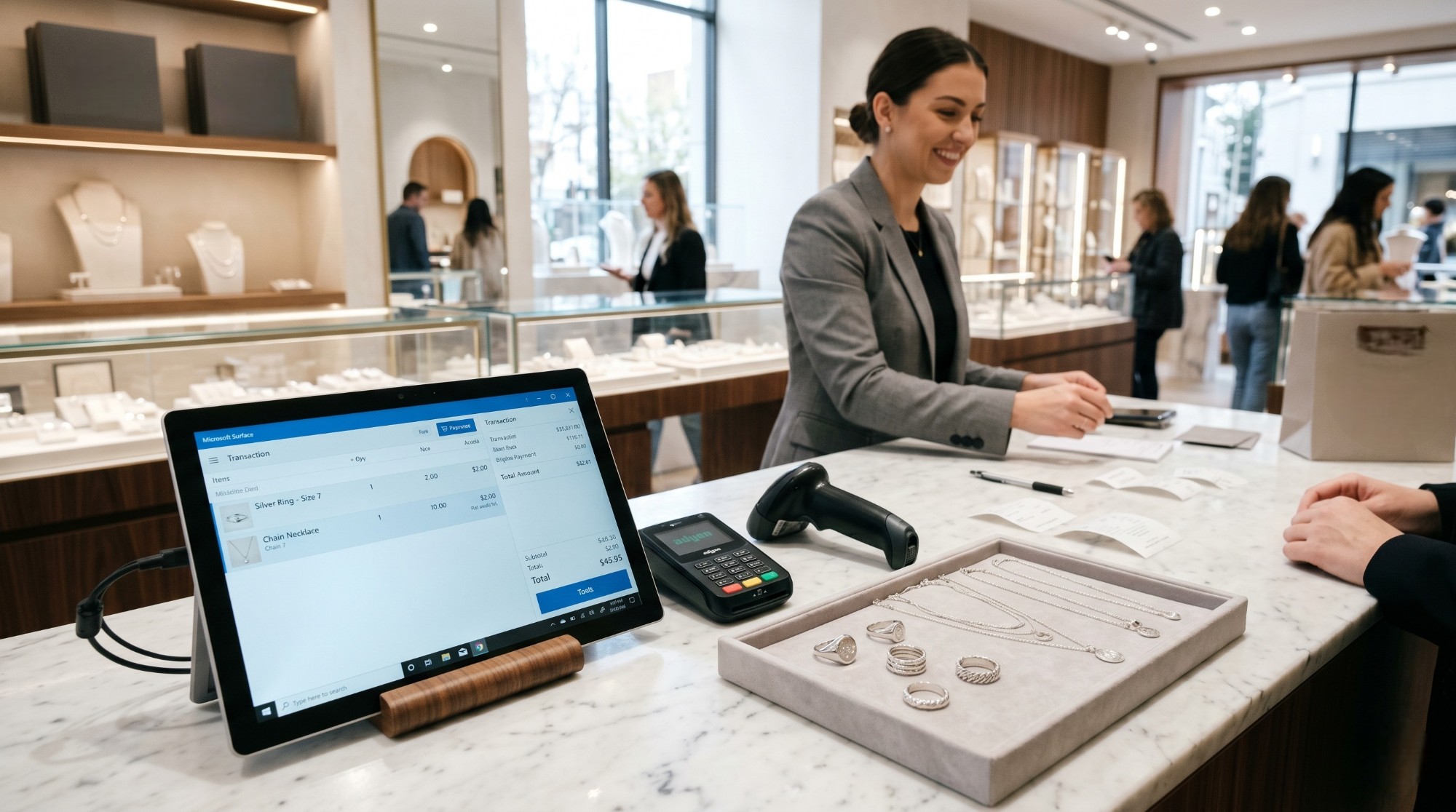
Choosing the right Silver Shop POS is no longer just about finding a digital cash register; it is about selecting a comprehensive operational engine. A highly capable Silver cashier system must seamlessly integrate inventory management, customer relationship tools, and strict tax compliance without sacrificing a single millisecond of performance. In this comprehensive guide, we will dive deep into the golden rules of selecting the perfect Jewelry POS system, exploring how advanced technological solutions from Daysum can transform your retail counter into a powerhouse of efficiency and profitability.
1. The Crucial Need for Speed in Silver Retail
In the fast-paced world of retail, time is quite literally money. When a customer walks into your silver shop, selects a beautifully crafted 925 sterling silver ring, and approaches the counter, they expect a frictionless experience.
Billing Speed: The Make-or-Break Factor
Billing speed is the absolute lifeline of a high-volume retail environment. Every extra second spent scanning an item, calculating VAT, or waiting for a receipt to print is a second stolen from the next customer. If your POS system is sluggish, the queue grows longer. Modern consumer psychology dictates that a long, slow-moving line is a primary deterrent to impulse buying. Customers will simply put the item back on the shelf and walk out.
To achieve lightning-fast checkouts, your POS must support instantaneous barcode and RFID scanning. It must be capable of calculating complex pricing models—whether an item is sold by the piece or by the gram—in real-time. By utilizing a robust backend like the Odoo accounting software, the system can handle all the heavy lifting of inventory deductions and ledger entries in the cloud, leaving the front-end POS interface incredibly fast and completely lag-free. A POS built for silver shops should price by weight and purity by default, not require a manual override on every single transaction. Book a demo to see silver-specific pricing running on your own product list.
Conquering Peak Seasons
The true test of any retail technology occurs during Peak seasons. During holidays like Eid, Mother’s Day, or Valentine’s Day, foot traffic can quadruple. Your system must be built to withstand this immense pressure without crashing. A superior POS system allows you to rapidly deploy “mobile POS” tablets, enabling your sales staff to process transactions directly on the shop floor, thereby busting lines and capturing every possible sale during the busiest hours of the year.
2. User Interface and Building the Ultimate Customer Experience
A POS system is the final point of interaction between your brand and your customer. It is also the primary tool your employees will use for eight to twelve hours a day. Therefore, the User Interface (UI) and overall User Experience (UX) are paramount.
Intuitive Design for Fast Onboarding
Retail environments often experience high employee turnover, and hiring temporary staff is common during the holiday rush. If your Jewelry POS looks like a complicated spreadsheet from the 1990s, training new cashiers will take weeks, and the likelihood of costly human errors will skyrocket.
A modern POS must feature an intuitive, touch-friendly interface. Large buttons, clear product images, and logical workflows empower a new cashier to master the system in a matter of hours. The cashier’s focus should be entirely on upselling to the customer, not on struggling to navigate a clunky menu.
Enhancing the Customer Experience
A brilliant POS system actively contributes to an unforgettable Customer experience. When a repeat customer approaches the counter, the system should allow the cashier to instantly pull up their profile using a phone number. The screen should display their purchase history, ring sizes, and accumulated loyalty points. This allows your staff to personalize the interaction, perhaps suggesting a silver bracelet that matches a necklace they bought three months ago.
Furthermore, integrating a comprehensive jewelry ERP program ensures that loyalty programs are automatically calculated at checkout, instantly applying discounts or redeeming points with a single tap, making the customer feel deeply valued and guaranteeing their return.
Legacy Systems vs. Daysum Modern Silver Shop POS
| Feature Comparison | Legacy Desktop POS Systems | Daysum Cloud-Based Silver Shop POS |
| Transaction Speed | Slow, prone to freezing during high-volume periods. | Lightning-fast, optimized for rapid barcode/RFID scanning. |
| User Interface (UI) | Clunky, gray screens requiring extensive staff training. | Modern, touch-optimized, highly intuitive color interface. |
| Customer Management | Often disconnected from the main checkout screen. | Fully integrated loyalty programs and customer histories. |
| Hardware Compatibility | Locked into expensive, proprietary desktop hardware. | Works seamlessly on iPads, Android tablets, and PCs. |
| Tax Compliance | Requires manual updates or risky third-party plugins. | Native ZATCA Phase 2 compliance built into the core. |
3. Seamless E-Payments and Financial Integration
The era of cash dominating the retail landscape is officially over. Today’s consumers demand a completely cashless, frictionless checkout process, relying heavily on debit cards, credit cards, and digital wallets.
Integrating E-Payments to Eliminate Errors
In older setups, a cashier had to manually type the total amount from the POS screen into a separate bank card terminal. This manual entry is a massive operational risk. Accidentally typing 100 SAR instead of 1000 SAR results in a severe financial loss that is incredibly difficult to recover.
A cutting-edge POS system solves this through direct E-payments integration. The POS communicates directly with the payment terminal (such as Mada or Apple Pay devices). The exact amount is pushed to the card reader automatically. The POS will not finalize the invoice or open the cash drawer until it receives a digital confirmation of success from the bank. This eliminates human error, speeds up the checkout process, and makes end-of-day reconciliation a breeze.
Automated Invoicing and Tax Compliance
In the Saudi market, accepting a payment is only half the battle; the other half is strict compliance with the Zakat, Tax and Customs Authority (ZATCA). Your POS must be capable of generating an electronic tax invoice with a cryptographic QR code in milliseconds.
By leveraging native electronic invoicing support, the POS ensures that every single transaction is legally compliant. Furthermore, the integration with robust backend tools like Odoo invoice management ensures that all these daily B2C transactions are bundled, securely archived, and accurately reflected in your general ledger without any manual data entry from your accounting team.
4. Managing Returns and Exchanges Flawlessly
Silver jewelry is one of the most popular gift categories in the market. Because gifts are often bought without the recipient present, silver shops naturally experience a high volume of Returns and size exchanges.
The Nightmare of Manual Returns
In standard retail software, processing a return is a logistical nightmare. It usually requires a manager’s override, manually adjusting inventory levels, finding the original paper receipt, and attempting to calculate the correct tax deductions. This process holds up the line, frustrates the customer who is returning the item, and annoys the customers waiting behind them.
One-Click Returns
Your chosen Silver Shop POS must handle returns and exchanges with absolute grace. The cashier should be able to simply scan the barcode on the customer’s receipt (or look up their profile) and hit “Return.” The system must automatically:
- Return the silver item back into the active inventory.
- Generate a legally compliant electronic Credit Note to adjust your VAT liabilities.
- Allow the customer to apply that credit immediately to a new item in the same transaction.
This level of automation turns a potentially negative customer interaction into a positive experience, often resulting in an upsell where the customer leaves with a more expensive item.
5. The Lifesaver: Offline Mode Functionality
Even in cities with the most advanced telecommunications infrastructure, internet outages happen. A fiber optic cable gets accidentally cut, or a local router fails. If this happens on the night before Eid, the financial impact on your business could be devastating.
Protecting Your Operations from Downtime
If your POS is purely cloud-based without offline capabilities, an internet outage means your store is effectively paralyzed. You cannot process sales, print receipts, or open the cash drawer. Customers will abandon their items and leave.
This is why a robust Offline mode is an absolute, non-negotiable golden rule when choosing a POS. A highly engineered system will detect the drop in connection and seamlessly switch to offline mode without interrupting the cashier. The system will continue to scan items, calculate taxes, and print simplified tax invoices, storing all the transactional data securely in the local cache of the tablet or computer.
Once the internet connection is restored, the POS will automatically, and silently, sync all the stored data back to the cloud. It updates the central inventory, pushes the financial data to your accounting ERP software, and transmits the delayed invoices to the ZATCA portal within the legal 24-hour window. This guarantees zero downtime and absolute peace of mind for store owners.
Financial and Operational Impact of Choosing the Right POS
| Operational Challenge | Daysum POS Technological Solution | Direct Financial & Operational Impact |
| Long queues during peak hours | Intuitive UI, rapid barcode scanning, and mobile POS capabilities. | Up to 300% increase in checkout speed, capturing all impulse buyers. |
| End-of-day cash discrepancies | Direct integration with bank terminals (E-payments). | 100% accurate daily reconciliation, saving hours of accounting time. |
| Cumbersome gift exchanges | Automated one-click return workflows with integrated Credit Notes. | High customer satisfaction, driving repeat business and brand loyalty. |
| Unexpected internet outages | Robust Offline Mode with automatic background data synchronization. | Zero lost sales during outages; operations continue seamlessly. |
| Strict ZATCA tax regulations | Native Phase 2 compliance with instant XML and QR code generation. | Total protection against severe government fines (up to 50k SAR). |
6. Advanced Analytics: Turning Your POS into a Business Advisor
A modern POS system is not just a tool for collecting money; it is a massive data gathering engine. Every time the cash drawer opens, the system collects valuable insights into consumer behavior, staff performance, and inventory health.
A high-performance system will provide you with end-of-day analytics that break down:
- Sales by the Hour: Helping you identify your exact peak hours so you can schedule your staff shifts more efficiently, preventing overstaffing during dead hours and understaffing during rushes.
- Top Performing Products: Identifying which silver rings or necklaces are flying off the shelves, allowing your procurement team to reorder before stockouts occur.
- Cashier Performance: Tracking which staff members process the most transactions and who has the highest average ticket value, enabling you to build data-driven commission and incentive programs. For modern jewelers looking to increase profitability, we highly recommend reading about Jewelry Sales Performance KPIs.
Conclusion: Invest in the Frontline of Your Business
As we look toward 2026 and beyond, the retail landscape will only become more competitive and digitally driven. Choosing the right Silver Shop POS is a foundational strategic decision that directly dictates your capacity for growth, compliance, and customer satisfaction.
Relying on outdated, slow, or generic software is akin to closing your doors to potential revenue. By investing in a comprehensive, industry-specific solution from Daysum, you are equipping your frontline staff with a tool designed for speed and reliability. You ensure lightning-fast Billing speed, effortless integration with modern E-payments, flawless handling of Returns, and the ultimate safety net of an Offline mode. Don’t let inferior technology throttle your retail potential; upgrade your point of sale and watch your silver business shine brighter than ever.
Frequently Asked Questions (FAQs)
Yes, absolutely. The system is highly versatile and designed specifically for the jewelry sector. A cashier can scan a silver bracelet that has a fixed barcode price, and in the very next line of the same receipt, weigh a 21k gold ring. The system will automatically pull the live market rate for the gold, calculate the specific making charges, and accurately calculate the VAT for both distinct items flawlessly on a single invoice.
Your compliance is fully protected. When the POS switches to its Offline mode, it continues to generate legally valid simplified tax invoices with all necessary cryptographic data stored locally. Once the internet connection is re-established, the system automatically runs a synchronization protocol, transmitting the batch of offline invoices to the ZATCA portal within the legally required 24-hour reporting window, ensuring you face zero penalties.
No, you do not. One of the greatest advantages of our modern, cloud-based architecture is hardware flexibility. The POS runs smoothly on web browsers, meaning you can utilize your existing PCs, or upgrade to sleek iPads or Android tablets. This flexibility allows you to easily add temporary checkout stations during major holidays without massive hardware investments.
The POS features a deeply integrated loyalty and rewards module. When a customer is checking out, the cashier can enter their phone number to pull up their profile. The system instantly calculates the points earned from the current transaction. Furthermore, it will display any existing points the customer has, allowing the cashier to offer a direct discount on the spot. This immediate gratification dramatically increases customer retention and lifetime value.